Coming soon to the App Store

Send Planning — build your team's schedule and send it in 30 seconds.

Send Planning organises the shifts, warns you about conflicts and sends each worker their schedule by WhatsApp. All on your phone. Nothing on a server.

Download on the App Store

14 days free with everything open — no card. After that, stay free (1 team member) or go Pro.

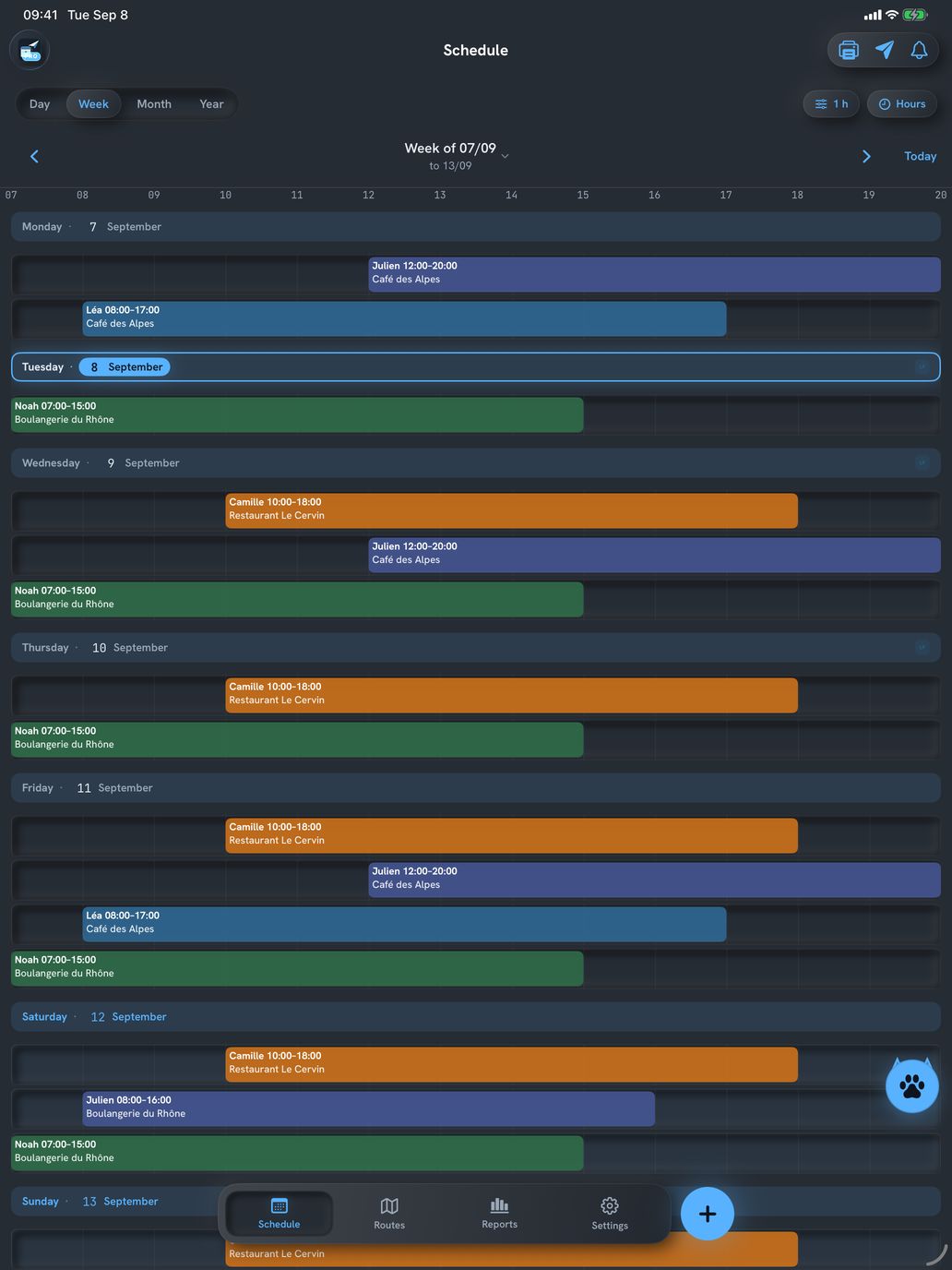
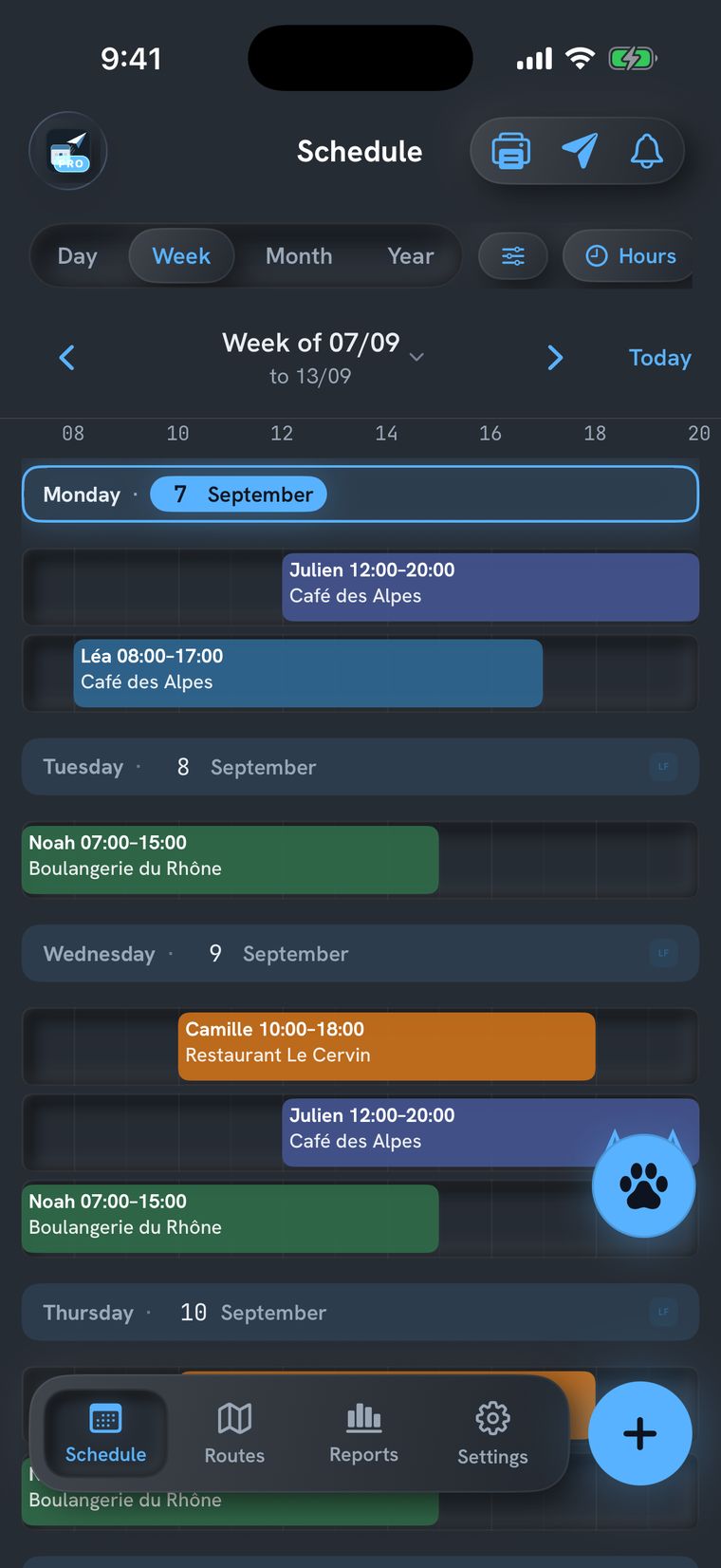
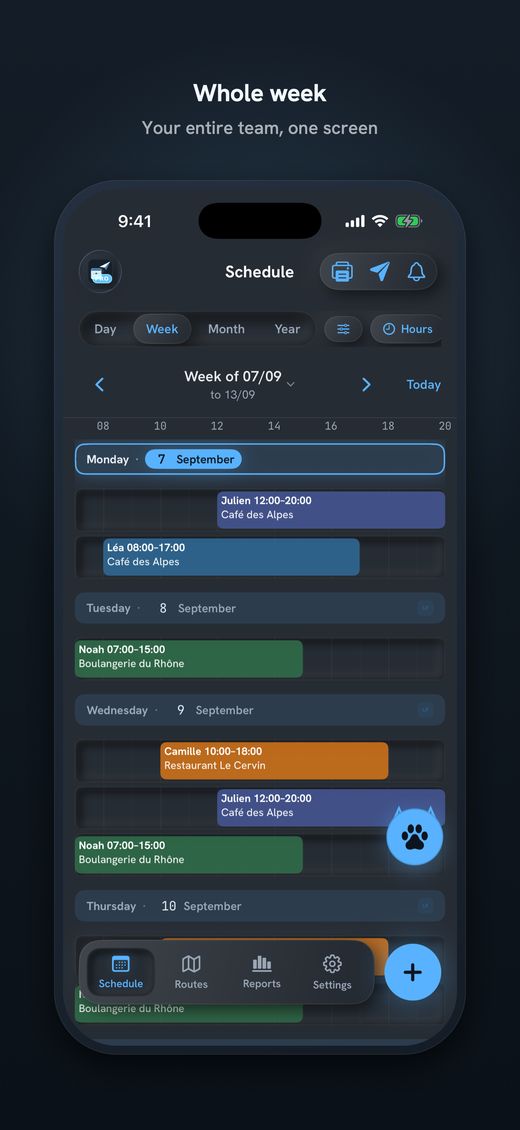
Send Planning screen: the week as one row per day, hours along the top ruler

iPhone · iPad

Your data never leaves your phone Send by WhatsApp, SMS or email CHF Prices in Swiss francs · revDSG No server, no account Free version forever

Sunday night shouldn't be schedule night.

You scribble on paper, redo it in Excel, send it in scattered messages — and on Monday someone shows up at the wrong time. Every shift swap reopens the chaos. There's a simpler way.

From blank page to your team's WhatsApp, in 3 steps.

Step 1

Build the week

Place each worker on their shifts for the week. A shift that repeats only needs setting up once — every day, week, month or year, or at whatever interval you set, in days, weeks or months — on the days you pick, and with an end date if you want one. Holidays and days off go in as absences, and Send Planning warns you right away about overlaps or conflicts.

Step 2

Check it

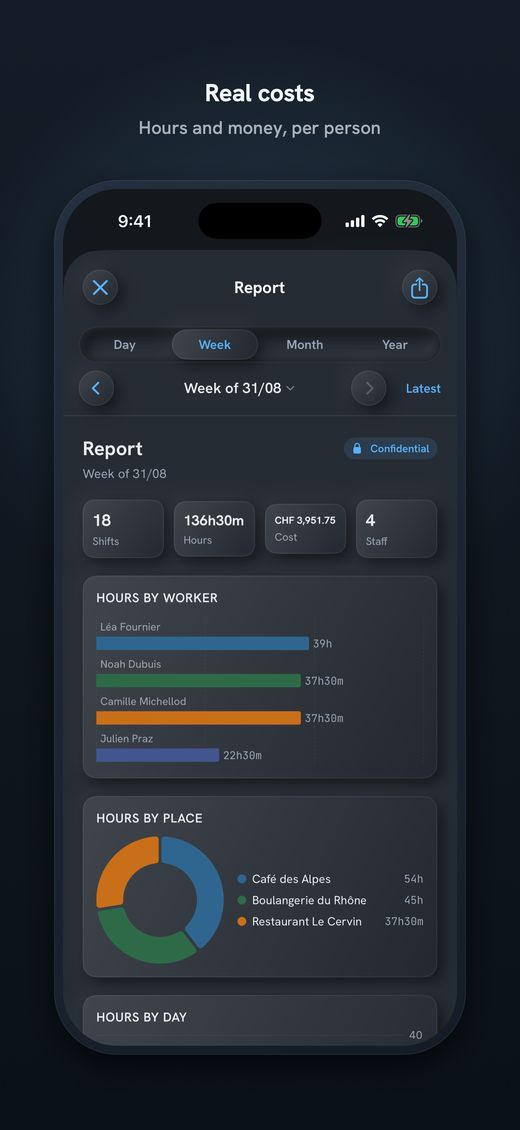
See the hours and the cost of each day before you send. No surprises at the end of the month.

Step 3

Send it

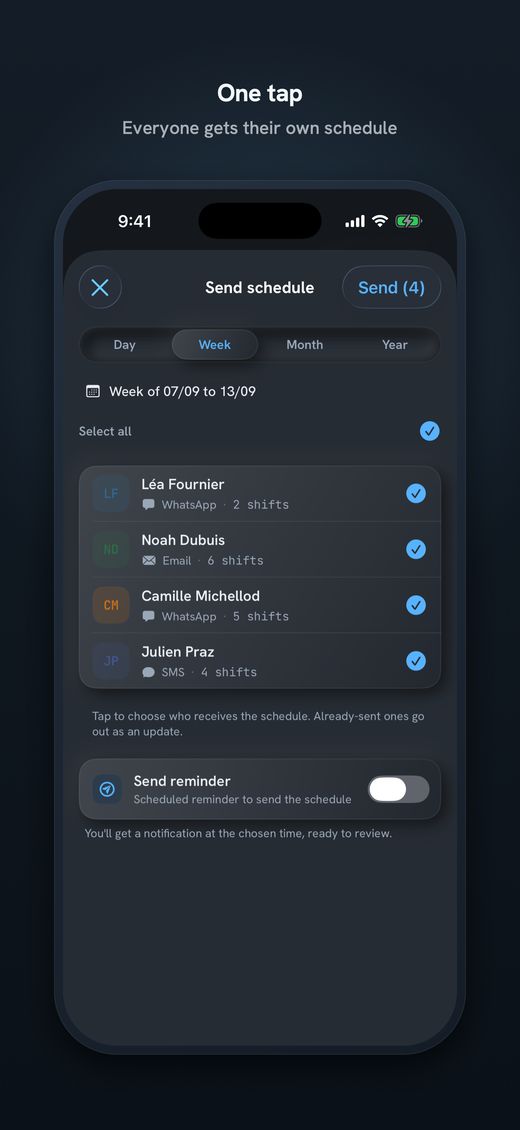
Each worker gets only their own shift, by WhatsApp, SMS or email. Connect your email account and the app sends on its own at the time you set; WhatsApp and SMS are one tap per person. Changed a shift you already sent? The message goes out with a note saying what changed.

The six screens that do the work.

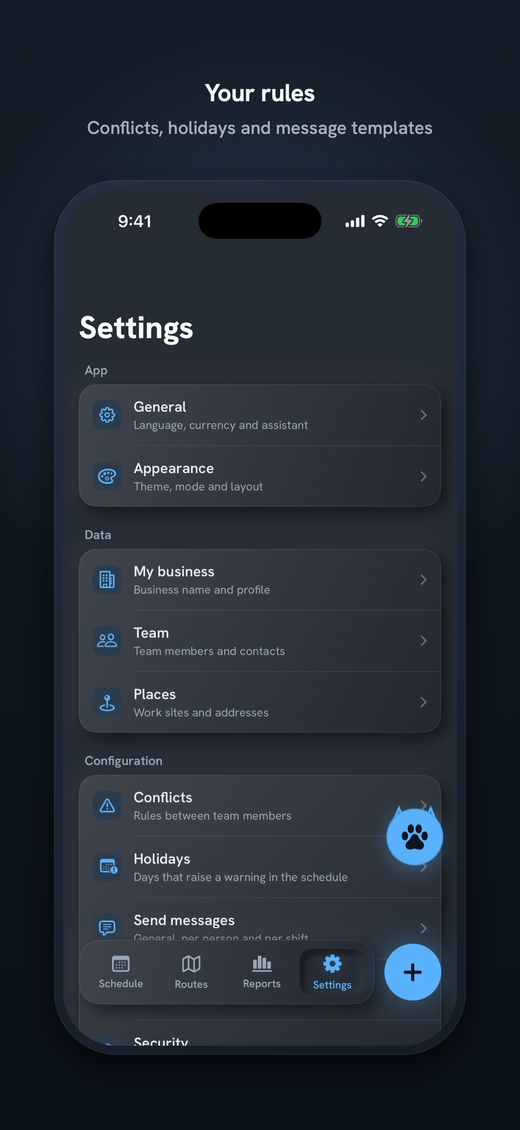
This is what you get on your phone: the whole week, one-tap sending, the trips, the hours and the costs, a poster for the wall, and rules that match the way you work.

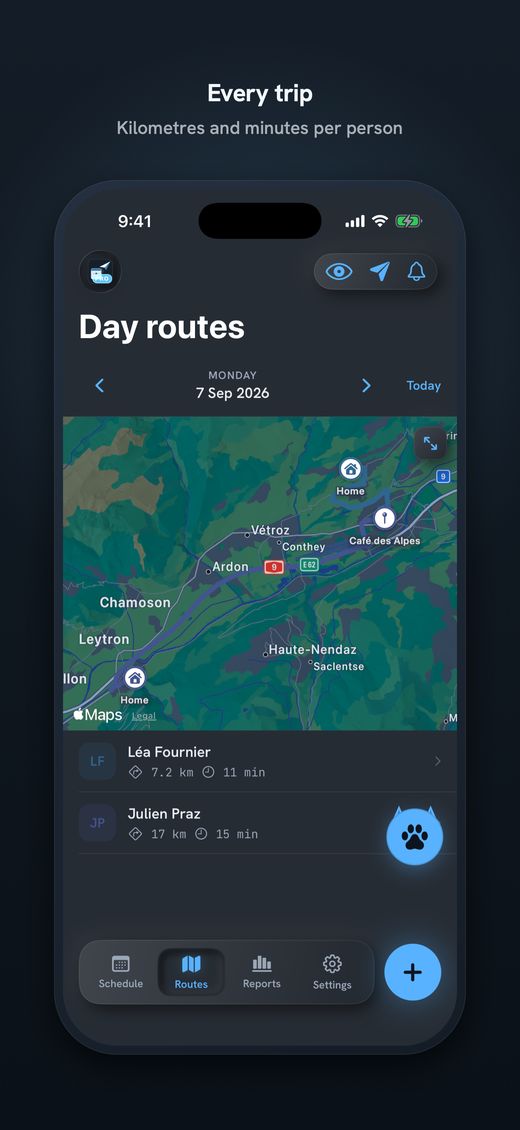
The only one that tells you what every trip costs.

Send Planning calculates travel distance and time (home → sites → home) and shows the real cost per worker: kilometres, time and wages. Decide who goes to which site by margin, not by habit.

Routes & costs

Real distances and travel times between home and every work site, with the cost per day and per worker.

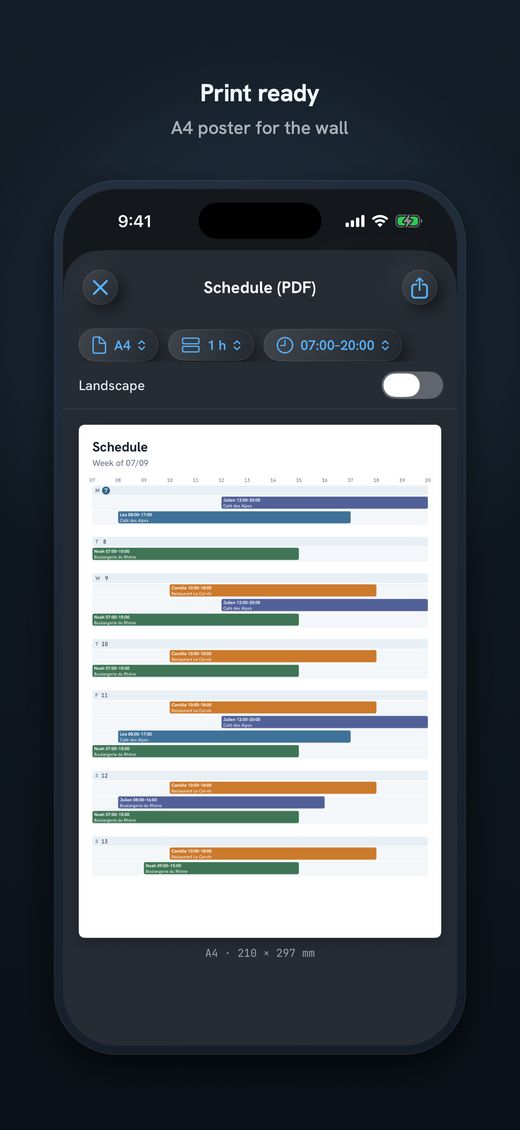
Poster to pin up

Export the schedule as a PDF — by day, week or month, in A6, A5, A4 or A3 — to print and hang in the shop.

Management reports

Hours, shifts and costs per worker and per site — daily, weekly, monthly or yearly. For your eyes only.

Conflict alerts 7 languages — EN · PT · FR · DE · IT · RM · ES Face ID lock Privacy mode Works offline Holidays by region Scheduled sending

Nine looks, light and dark — the house style of every Alpine Lynx app.

Ice
Water
Forest
Fire
Wind
Rain
Storm
Moon
Sun

If you send by email, it leaves your account — not ours.

Send Planning has no servers and no sender address of its own. To email a schedule, the app uses your account: connect your Google account with one tap, or set up any other provider with an app password (SMTP). That is why the app asks Google for permission — and it asks for the smallest one there is.

Why we ask Google for access

For one thing only: to put the schedule in your outbox, from your own address, so every worker gets an email from you — not from some unknown sender that lands in spam.

Exactly what we ask for

A single send-only permission (gmail.send) and your email address, to set it as the sender. Nothing else. Connection keys stay in your iPhone's Keychain, never on a server of ours.

What we never ask for

We do not read, list, search or delete messages. No access to your inbox, contacts, calendar or files. And nothing received from Google APIs is ever used to train AI models.

See the details in the privacy policy →

Your team's data stays with you.

Names, phone numbers, shifts and history live only on your phone — and in your iPhone backup, if you have one turned on. There's no syncing of ours, and no account to create. The only things that ever leave are what you send out yourself: the message you send, and, if you ask for a route, the address that goes to Apple for the calculation. Compliant with Swiss data protection law (revDSG).

Read the privacy policy →

Simple, the way it should be.

14 days free with everything open — no card to start. When it ends, you choose: go Pro or stay on the free version. What you created stays yours, always.

0 CHF — forever

  • Schedules and sending — 1 team member, 1 site
  • WhatsApp, SMS or email · 7 languages
  • 1 repeating series · 1 theme · Face ID lock
  • No card, no time limit

After the 14 days you pick monthly or annual. The price is on the App Store listing — in your currency and always current.

Download on the App Store Coming soon to the App Store

Quick answers.

Do I need internet?

Not to manage anything; only to send messages. The app works on the device.

Does my data go to any server?

Not to any server of ours — we don't have one. It stays on your phone and, if you have it turned on, in your iPhone backup. When you ask for a route, the address goes to Apple just for that calculation.

How many people does it handle?

Designed for micro-teams of 2 to 10 — but it manages more if you need. The free version covers 1 team member and 1 site.

Does it work for cleaning, construction or associations?

Yes — any team with shifts and travel: cleaning, construction, restaurants, gardening, removals, associations.

How do I send the schedule to my team?

By WhatsApp, SMS or email — each person gets only their own shift. WhatsApp and SMS take one tap per person; by email, with your account connected, you set a time and the app sends on its own. And export a poster in PDF, A6 to A3, to print and pin up in the shop (on Pro).

How much does it cost?

There's a free version forever (1 team member, 1 site, 1 repeating series, 1 theme). Pro comes with a 14-day free trial; after that you pick monthly or annual, with the price on the App Store listing.

What happens when the 14 days end?

You choose: go Pro, or stay on the free version. What you created stays yours — we never lock or delete your data.

Does the app know my canton's holidays?

The list starts empty and is yours to edit. On Pro, you can import Swiss federal holidays, your canton's, or those of Portugal, France, Germany, Italy and Spain, all at once — then add or delete whatever you like.

Which languages is it available in?

English, Portuguese, French, German, Italian, Romansh and Spanish — switch instantly, inside the app.