Record first. Sort it later.
Speak and move on. Pled writes it down on your iPhone and turns it into notes, reminders, events, lists and minutes.
14 days free · then one payment, no subscription
How it works
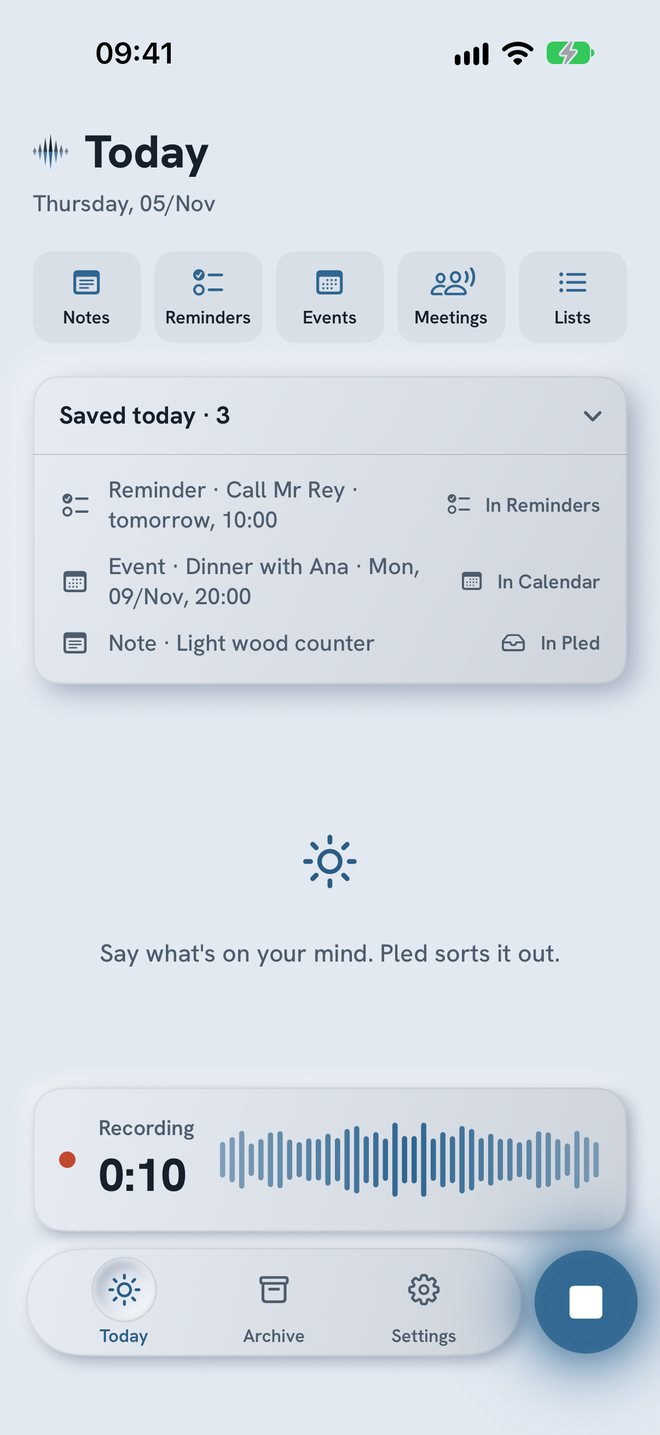
Three steps: speak, read, confirm.
- Step 1SpeakOne tap, a gesture, or your wrist.
- Step 2Pled writes it downOn the iPhone, in up to two languages.
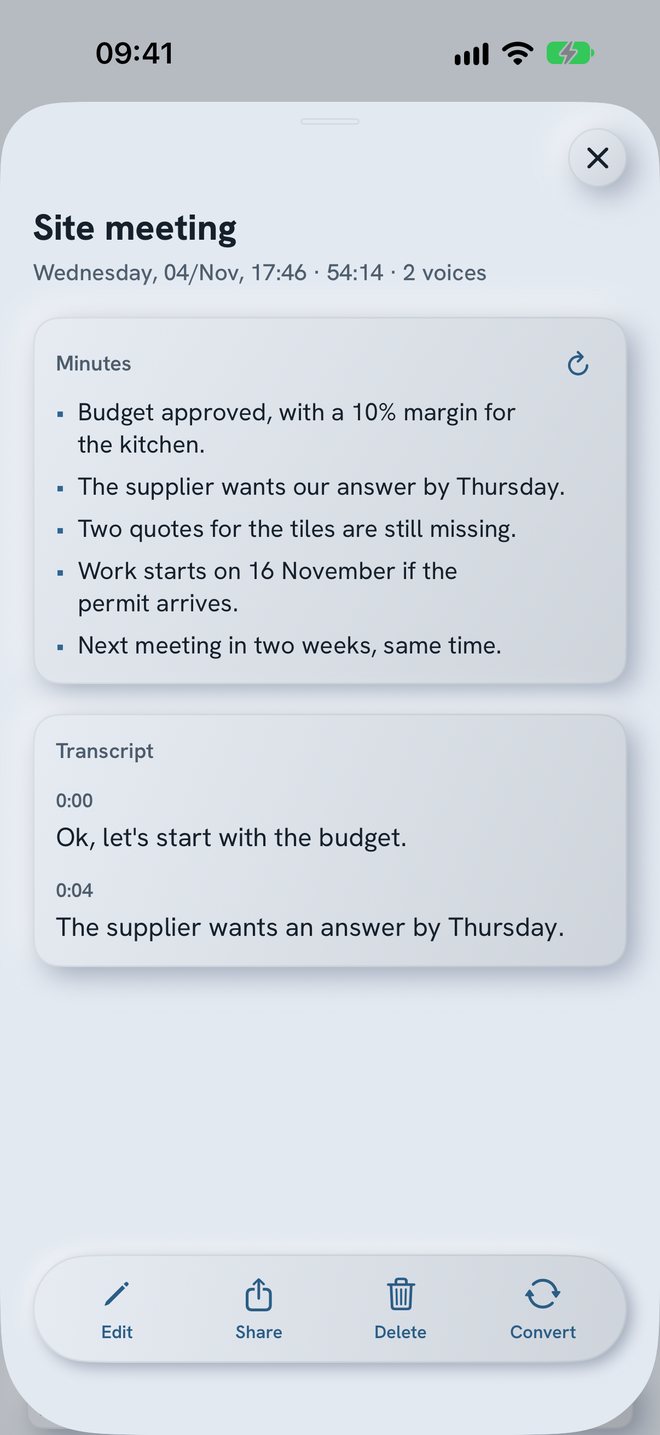
- Step 3ConfirmReminders and events wait for one tap.
Archive
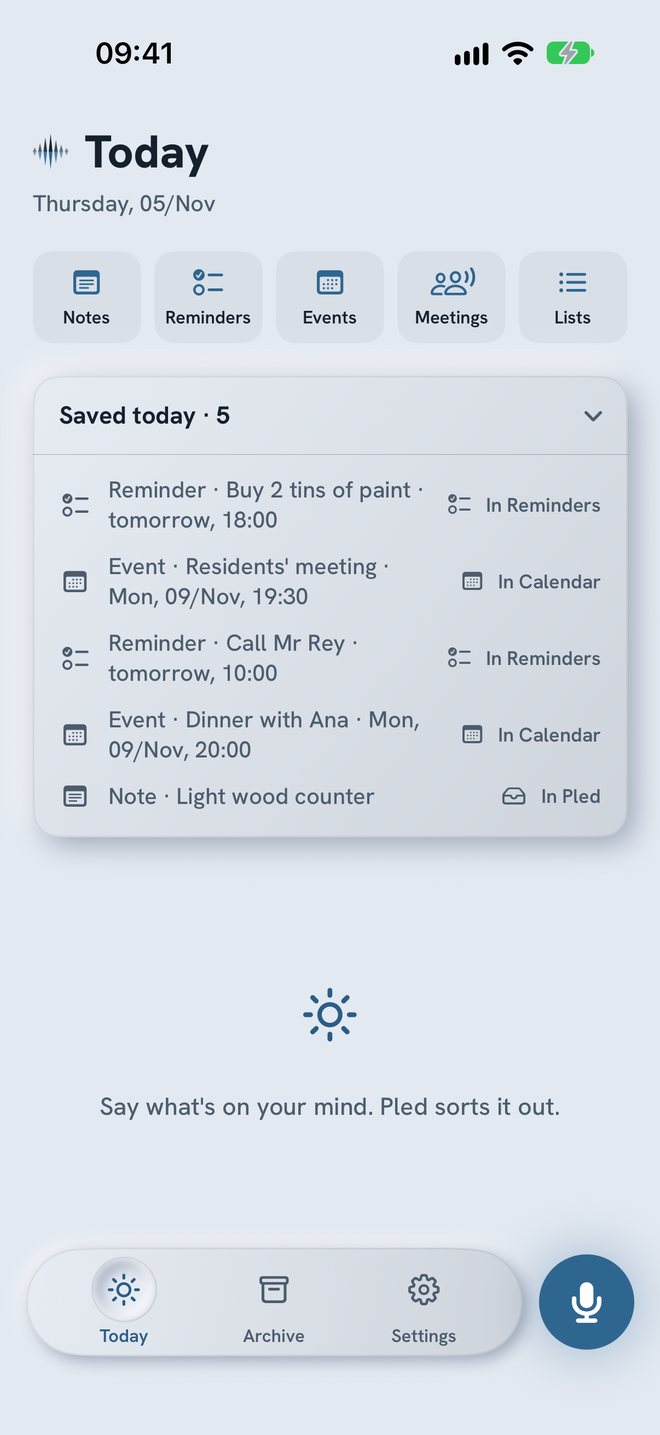
Everything said, by date.
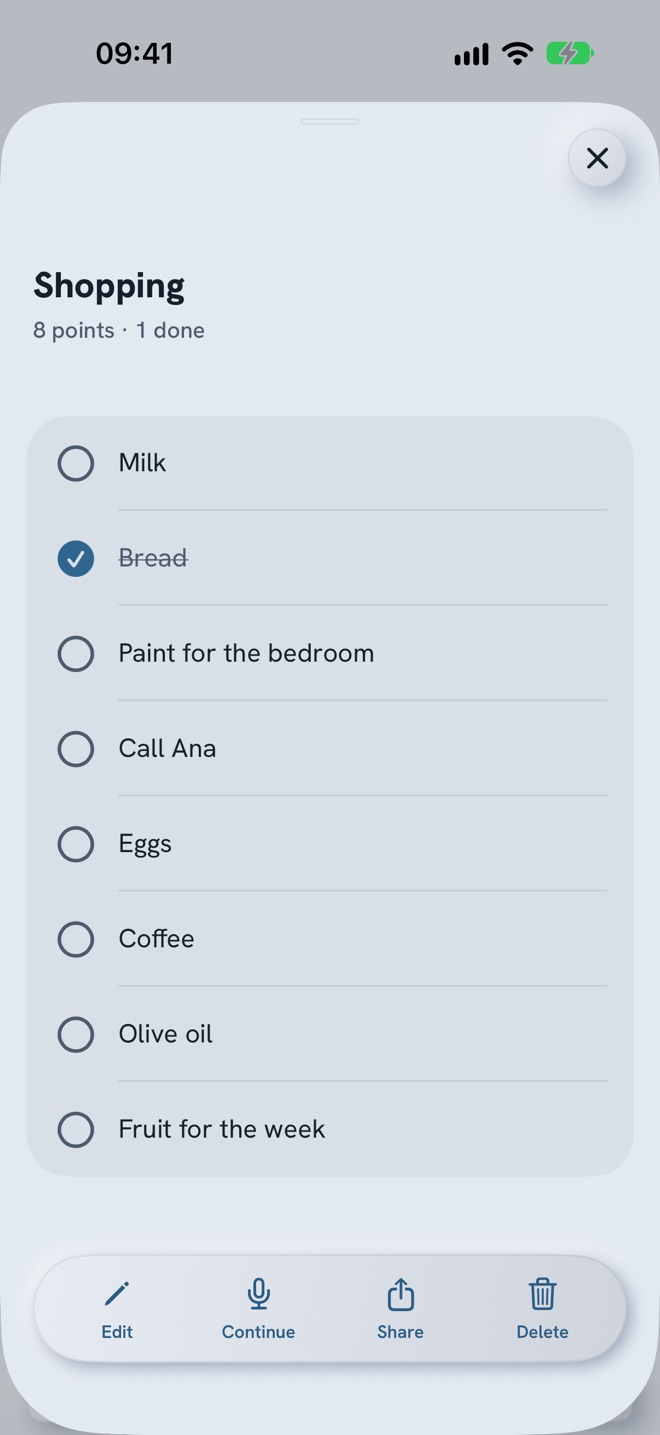
A calendar of the days you recorded and, under it, each day in order. Search finds any word. Lists keep each point on its own line.
Today
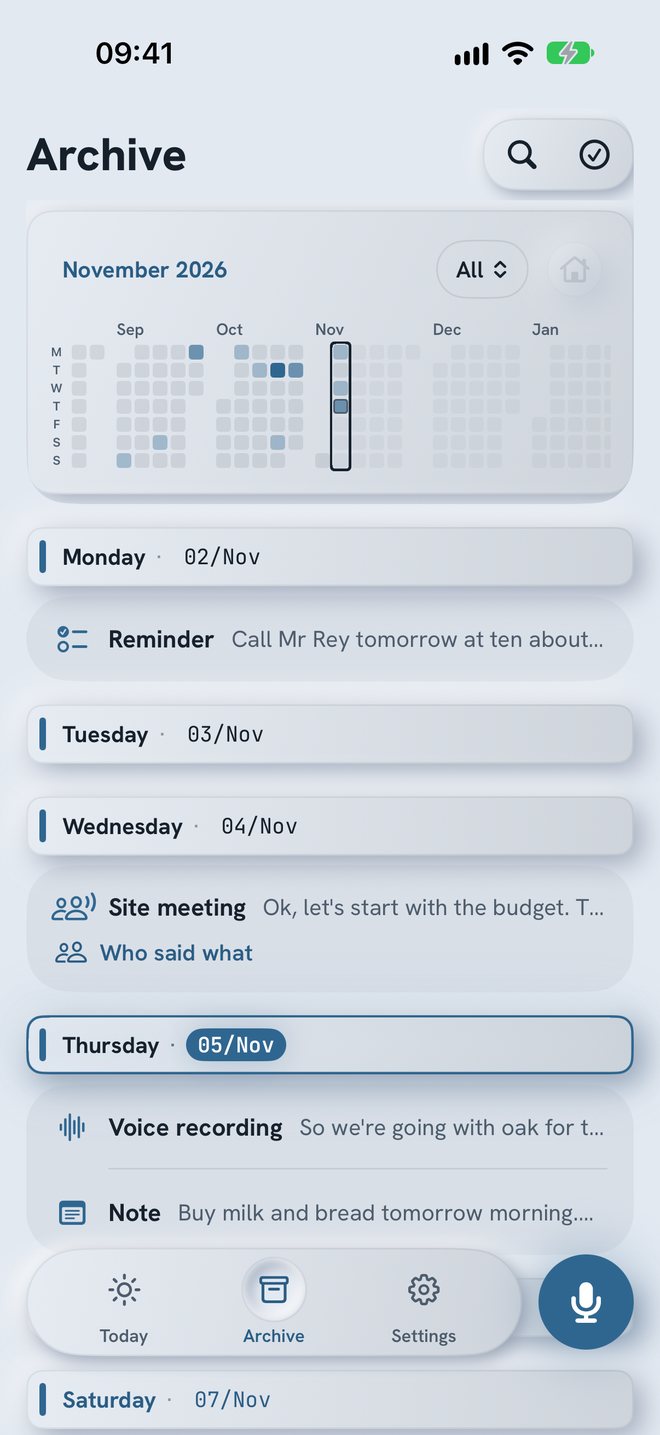
It arrives already sorted.
Pled reads what you said and proposes what it looks like. Save it, edit it or dismiss it. Nothing is added without you.
Reminders go to a list called Pled and events to a calendar called Pled, if you turn that on.
Meetings
The minutes, without taking notes.
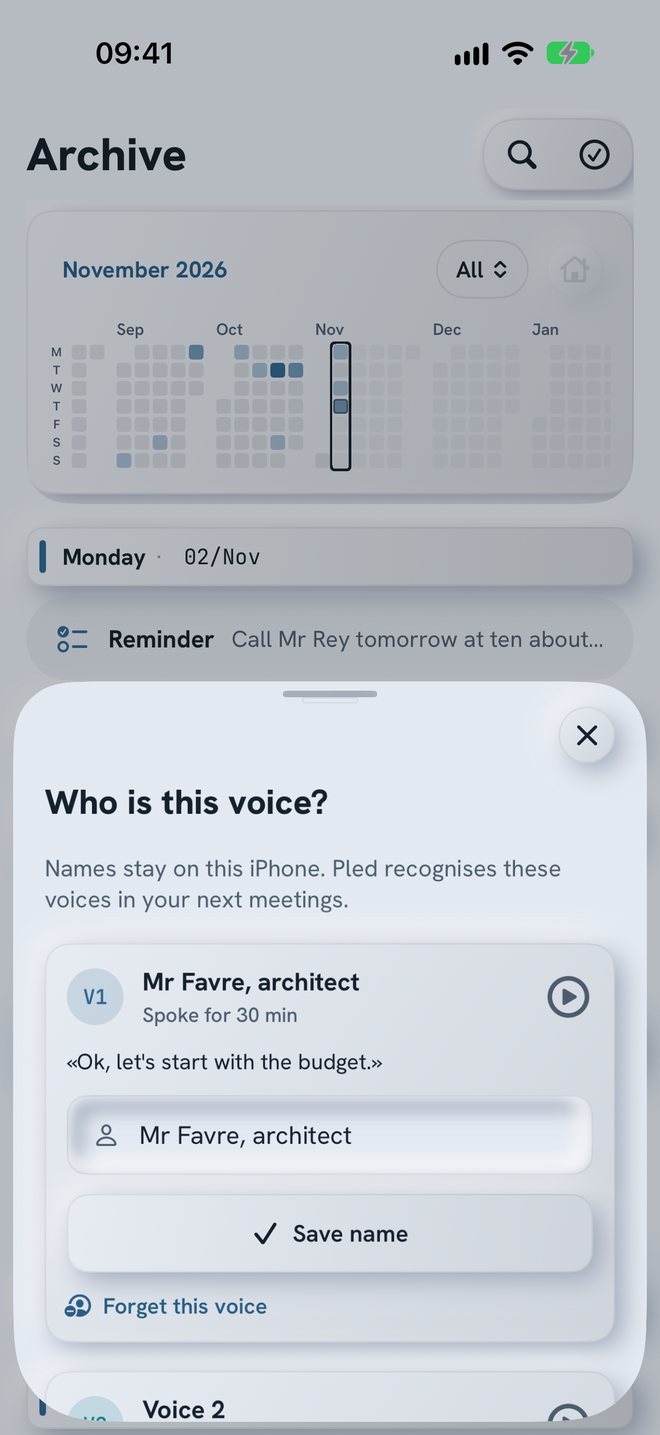
Pled writes the conversation, tells the voices apart and lists the main points. Give a voice a name and it is known next time.
Whether you may record depends on where you are. Asking people is up to you.
Voice commands
Say what it is, out loud.
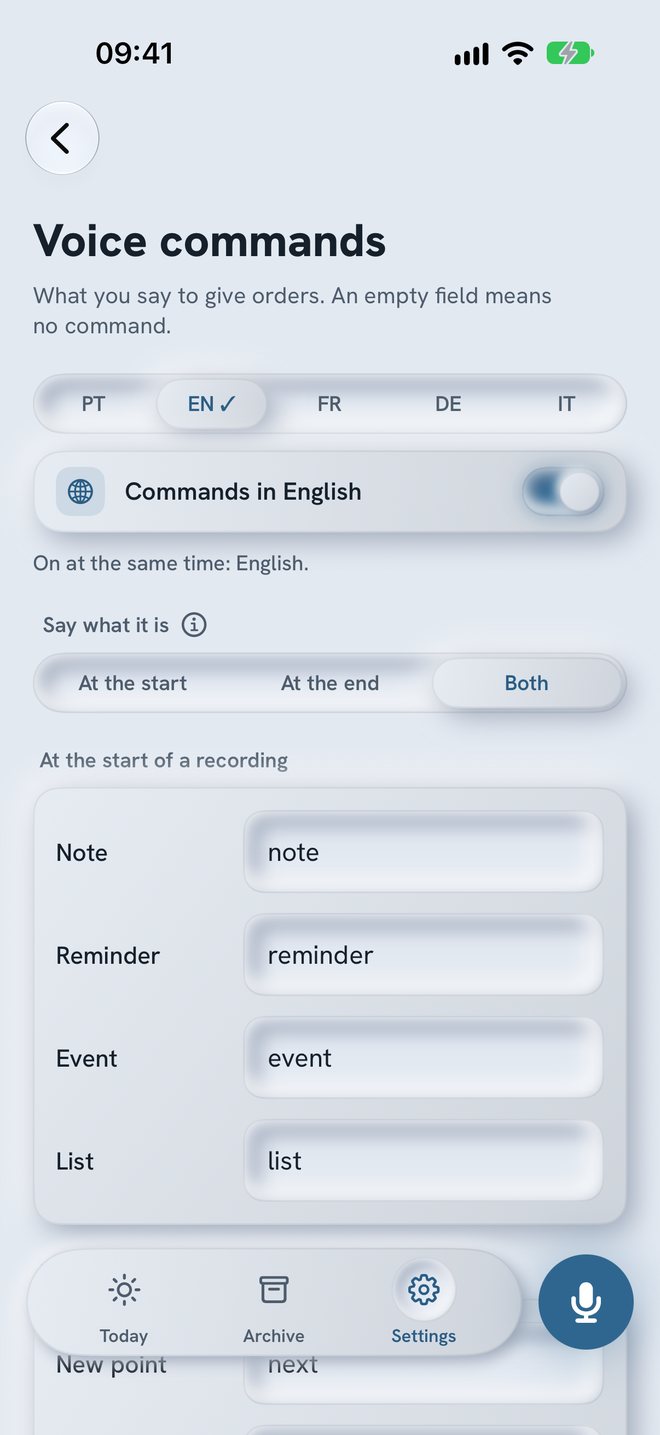
Start with «list» and it becomes a list. End with your save word and the recording stops by itself. You choose the words.
One gesture
Record without opening the app.
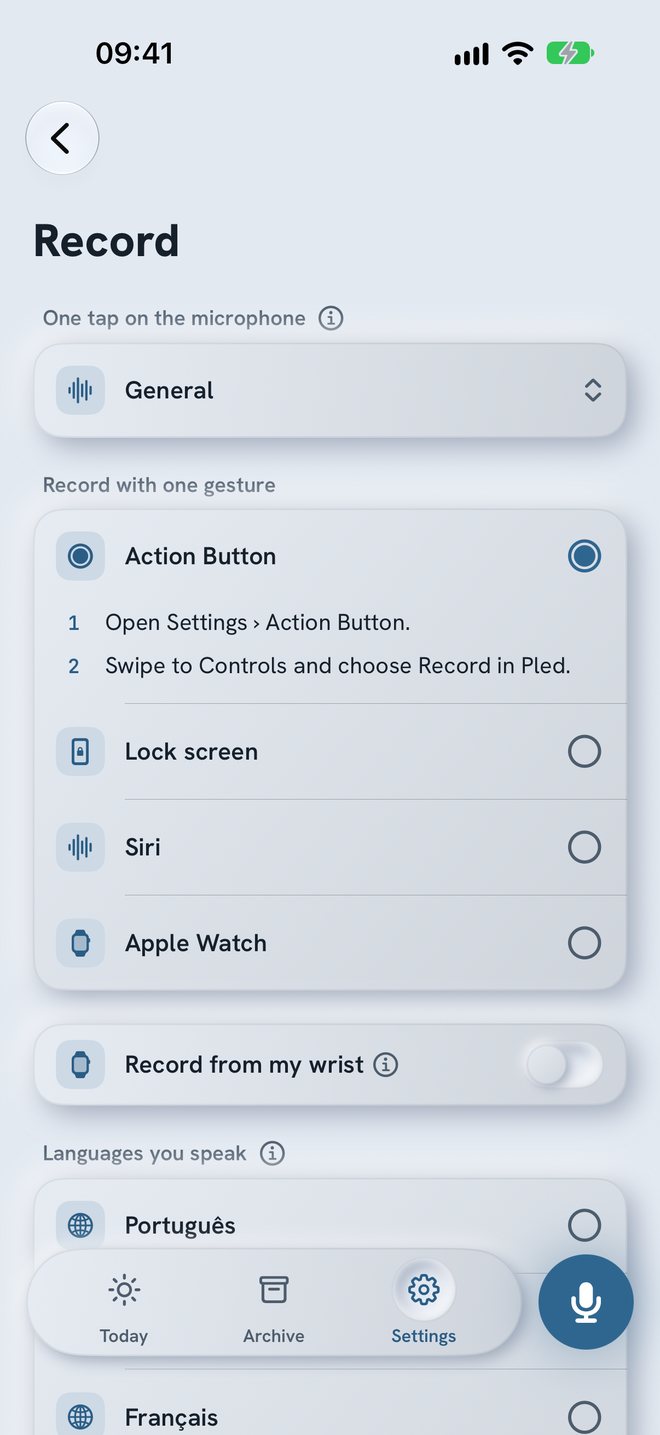
Choose how you start: the Action Button, the Lock Screen, Siri or Apple Watch. Then choose what a tap on the microphone records.
Privacy
Written on your iPhone.
Pled has no server. The sound is not kept once the words are written. iOS downloads the speech model once, from Apple. A copy in your own iCloud Drive stays off until you turn it on.
Price
14 days free. Then one payment.
You see the price on the App Store, for your country. After day 14 without paying, Record, Today and Archive close, and nothing is deleted.

iPhone with iOS 27 or later.
Questions
What you may want to know.
Does it work without internet?
Yes, once the speech model is on the iPhone. iOS downloads it once, from Apple. Pled has no server of its own. The App Store needs internet to complete a purchase.
Is the sound kept?
No. The sound is removed once the words are written. If Pled isn't sure about the language, it keeps the sound for up to 7 days so that you can try another language. If writing fails, the sound stays so that nothing is lost.
Where do my words go?
They stay in Pled on your iPhone, protected by iOS. They also go into your iPhone backup, as with other apps. A copy in your own iCloud Drive is optional and off by default. You can export everything to an open file, or delete it all. The details are in the privacy policy.
Why does it ask for full access to Reminders and Calendar?
iOS only offers full access. Pled adds to a list and a calendar called Pled, and checks that what it added is still there. It doesn't look at your other items. Both connections are optional.
Do I need Apple Intelligence?
Only for summaries and minutes. Without it, Pled still records and writes everything down, and the proposals are simpler.
Can I record any meeting?
Pled asks you to confirm that everyone agreed before it records a meeting, but it can't ask them for you. The rules depend on where you are.
How much does it cost?
14 days free, with everything open. Then one payment, with no subscription and no renewals. The App Store shows the price for your country.
Which devices does it need?
An iPhone with iOS 27 or later. Apple Watch is optional: it records on your wrist and sends the recording to the iPhone.
Say the first thing on your mind.
14 days free to try everything.
iPhone with iOS 27 or later.