Household papers, locked. Each person with their own key.
Like the keys to a building: yours opens the main door and your flat; your neighbour’s opens the main door and theirs.
No account. No server. Only whoever holds the key opens them.
14 days free on the annual plan · iPhone only
Three layers
Three locks, one inside the other.
Every document is locked three times. To open it, you have to get through all three.
- Your secretThe pattern, code or password. Argon2id makes every guess slow.
- This iPhone’s chipThe Secure Enclave adds a secret that never leaves this iPhone.
- A key per documentAES-256 for every room and every document. Already resistant to quantum computers.
Copying the iPhone’s data to another one is not enough: the chip is missing.
Shared rooms
No server in between.
Each person has their own copy of the room, locked, on their own iPhone.
- The room is yoursThe documents live on your iPhone, locked.
- Share itClav makes a .clav file that only Ana’s key can open.
- Ana opens the fileThe room now also lives on her iPhone, locked.
- Send the updatesAdded documents? Send them again. Ana’s copy becomes the same as yours.
Only the person who created the room adds documents or shares it. Whoever receives it reads the documents and can leave whenever they like.
How it opens
Each room opens its own way.
Four ways. You choose one in the room’s menu › How it opens.
Opens with you, and with whoever you share it with.
- Opens with your pattern, code or password.
- Whoever received the room opens it with their own key.
Want more? Open the vault with a password and a YubiKey plugged in by cable.
It only opens with two people together.
- You ask for Ana’s part.
- Ana sees who is asking and gives her part.
- With both parts, the room opens.
For example, the papers of a company run by two. Neither person opens it without the other, not even with the security card.
Two of three people open it, without you.
- Ana and Rui each keep a part in Clav.
- The notary keeps the third, on paper.
- Any two parts together open the room.
For the day you can’t open the vault. One part on its own opens nothing.
It only opens near a tag of yours.
- Stick an NFC tag somewhere that is yours alone.
- Hold the top of the iPhone to the tag.
- The room opens.
Away from the tag it doesn’t open, not even with your code. If you lose it, a paper copy replaces it. NTAG213, 215 or 216 tags.
How it works
Three steps: add, lock, share.
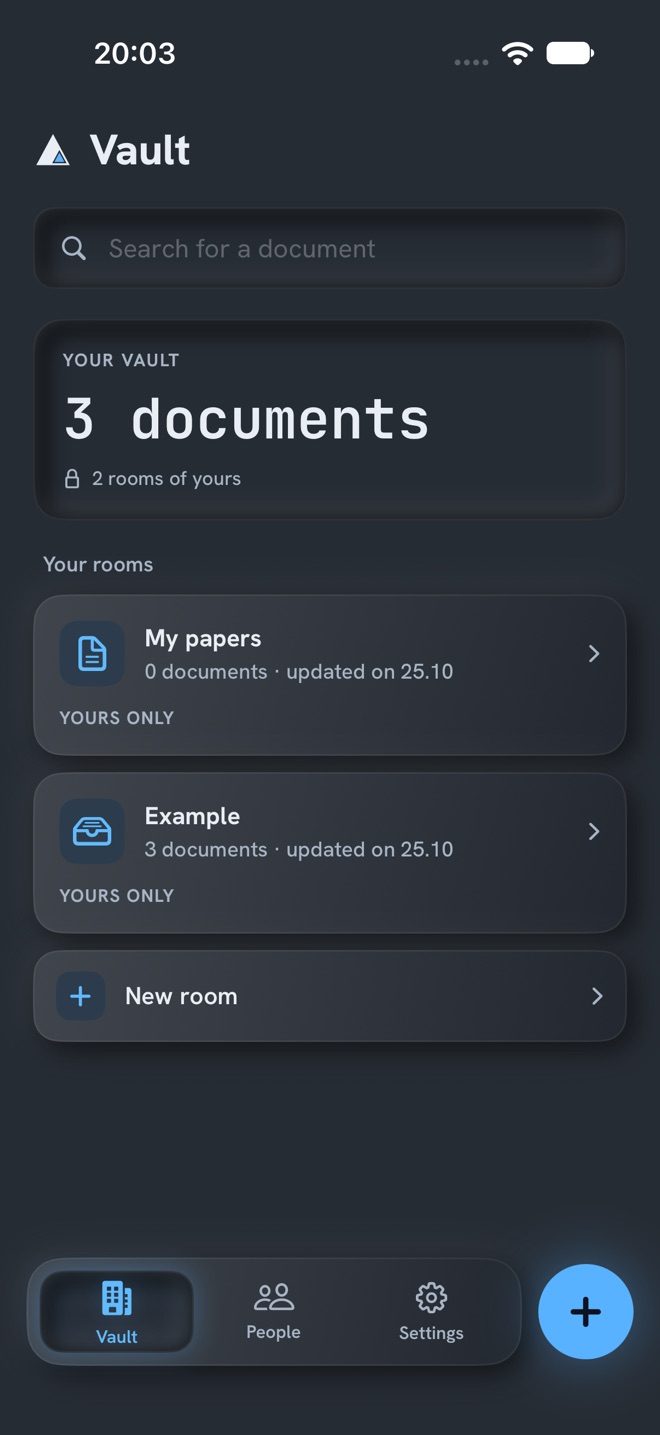
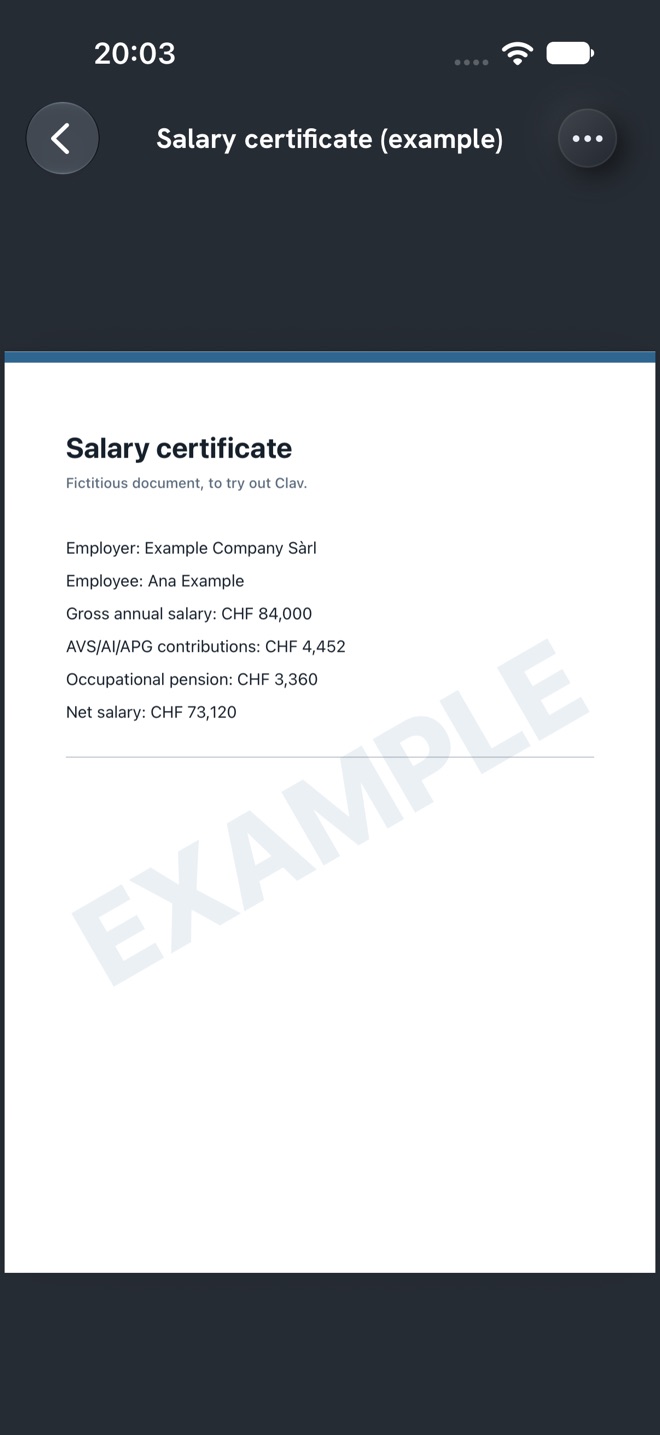
- Step 1Add your papersScan, take a photo or video, or choose a file.
- Step 2Lock in the vaultEach room has its own key.
- Step 3Share a roomAdd the person with the two iPhones side by side. Then share only the right room.
The .clav file
One single file, with everything locked inside.
This is how documents leave this iPhone: by AirDrop, Messages or email, or to Files.
- OutsideOnly who sent it and when can be seen.
- InsideDocuments and names stay locked, even the room names.
- SignedBy whoever created each room. A signature that doesn’t match is refused.
Vault copy
Everything you have, to keep off this iPhone. It opens with your security card.
Share
Only the rooms you choose, for another person. It opens with their key.
A .clav file doesn’t change once made. To bring it up to date, make another one.
Rooms
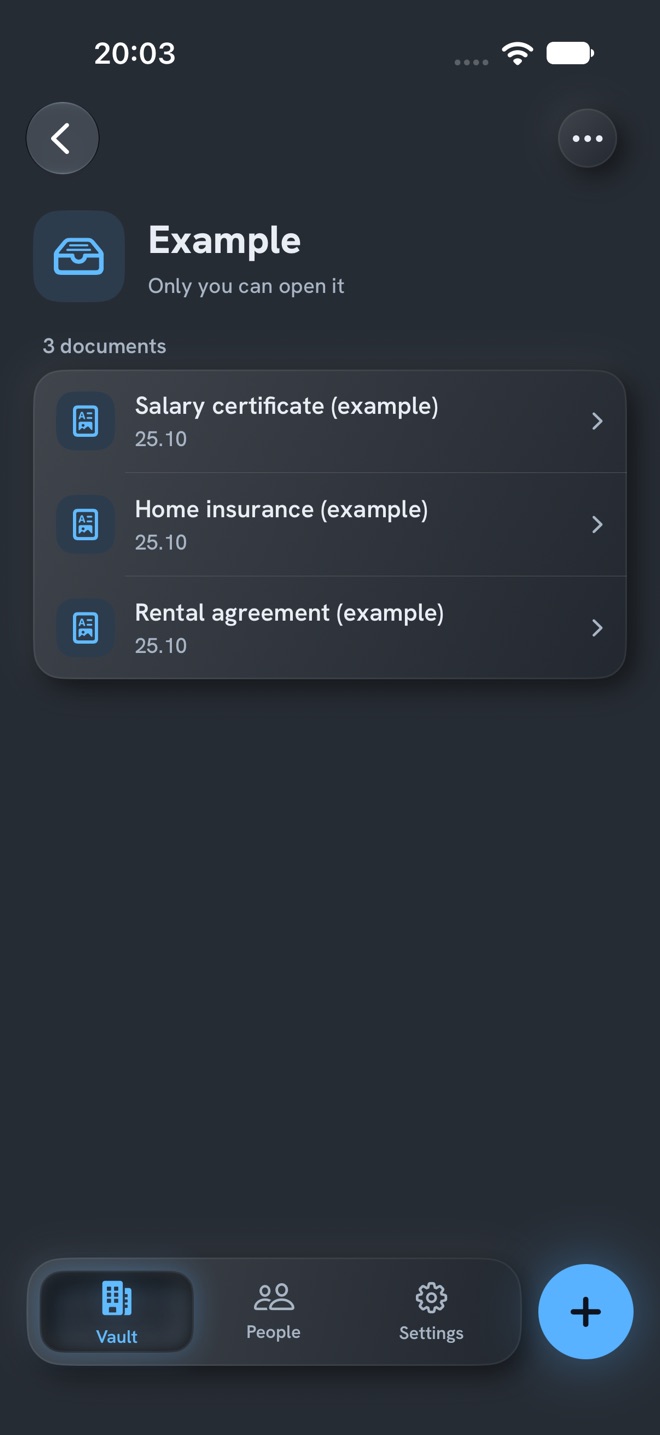
Sort your papers into rooms.
Home, health, car, taxes. Each room locks with a key of its own.
People
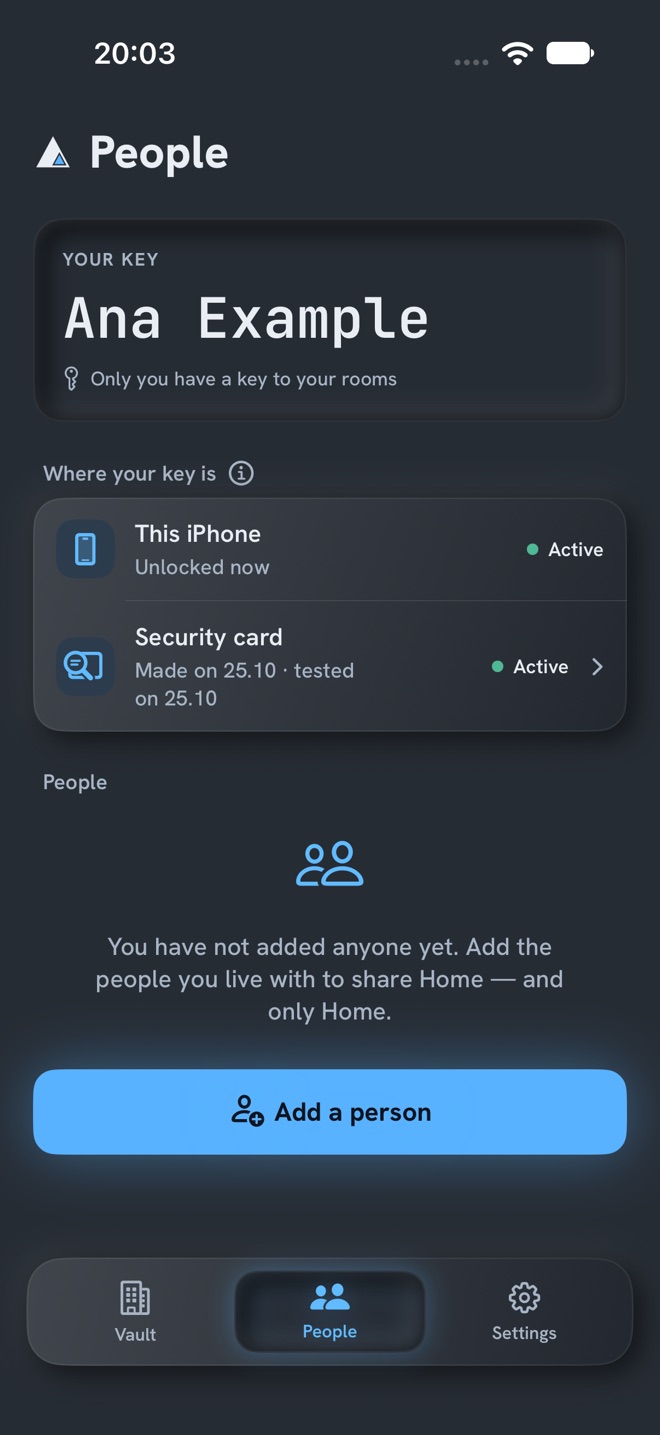
Each person with their own key.
Add the people you live with by holding the two iPhones side by side. Then share only the right room.
When you stop sharing, only what comes after is protected. That is why Clav asks whether to change the lock.
Security card
A card so you do not lose the vault.
24 words and a QR code, shown only once. Clav does not keep them.
Keep the card the way you keep your passport, away from the iPhone.
Use Clav responsibly. There is no way to recover the documents: if you lose your key and the card, or the parts, no one can open them. Not Alpine Lynx, not Apple.
Photos and videos
Photos and videos that never go through Photos.
Clav’s camera locks each photo and each video straight into the vault.
If you add a photo from Photos, Clav asks whether to remove the original from there.
Passwords
Passwords, locked like the documents.
Name, password and notes, in the same vault.
If someone tries
For when someone tries to guess.
Erase after failed attempts
Choose how many wrong attempts. After that, Clav erases the vault from this iPhone.
Wipe pattern
A pattern, code or password that erases the vault instead of opening it.
Covered screen
If the screen is being recorded or shared, the vault stays covered.
The first two only turn on after you confirm the security card.
Privacy
Only whoever holds the key opens them: not Alpine Lynx, not Apple.
Built to hold up against quantum computers too.
Price
14 days free. Then annual or lifetime.
14 days free
on the annual plan, everything unlocked
Annual
renews until you cancel
Lifetime
paid once
Without Pro, the vault stays closed: the documents can’t be seen or exported. They stay encrypted on this iPhone and open again when you activate Pro. Exporting is only possible during the 14-day trial or with Pro.
The price is shown in the App Store, in your currency.

iPhone only, with iOS 26 or later. Terms of use.
Frequently asked questions
What you may want to know.
Can Alpine Lynx see my documents?
No. There is no server and no account: the documents and the keys stay on this iPhone, locked. Only whoever holds the key opens them.
What if I lose my iPhone?
The security card and an exported copy of the vault (a .clav file) open the vault on a new iPhone. If you lose both the iPhone and the card, no one can open the vault, not even Alpine Lynx.
What if I forget my pattern or code?
The security card opens the vault again. That is why Clav asks you to make it and confirm it right at the start.
Does the vault go to iCloud?
No. The keys stay in this iPhone’s Keychain, on this device only, and never go to iCloud. The backup is the .clav file you export and keep wherever you like: in Files, on a drive, in an email to yourself.
How do I share with someone else?
In People, add the person by holding the two iPhones side by side. Then share a room: it goes in a .clav file that only their key opens. As there is no server, updates are sent again the same way.
What does “built to hold up against quantum computers” mean?
When you share a room, Clav locks that room’s key to the other person’s key with encryption designed with future quantum computers in mind (HPKE with X-Wing: ML-KEM-768 + X25519). Documents are locked with AES-256-GCM.
How much does it cost?
On the annual plan, the first 14 days are free, with everything unlocked. After that, choose Annual, which renews until you cancel, or Lifetime, which is paid once. The price is shown in the App Store, in your currency. Without Pro, the vault stays closed until you activate Pro: your documents are not lost.
What happens when the 14 days are over?
Without Pro, the vault closes: the documents you added can’t be seen or exported. They stay encrypted on this iPhone and open again when you activate Pro. Exporting is only possible during the 14-day trial or with Pro.
Can I make a room open only with another person?
Yes. In the room’s menu › How it opens, choose “Together” (both people at once), “2 of 3” (two of three people you trust) or “In one place only” (near an NFC tag of yours).
Where do I learn how to use everything?
In the app, under Settings › About and support › User manual. It brings all of Clav’s explanations together in one place.
Which iPhone do I need?
An iPhone with iOS 26 or later. Clav is for iPhone only.
Lock your first paper today.
14 days free on the annual plan, with everything unlocked.
iPhone only, with iOS 26 or later.