Speak French and see, right away, what went wrong.
You read aloud and the app underlines, live, what did not come out right.
For Portuguese speakers who want to learn FrenchThe app is in Portuguese.
14 days free · then a one-time purchase
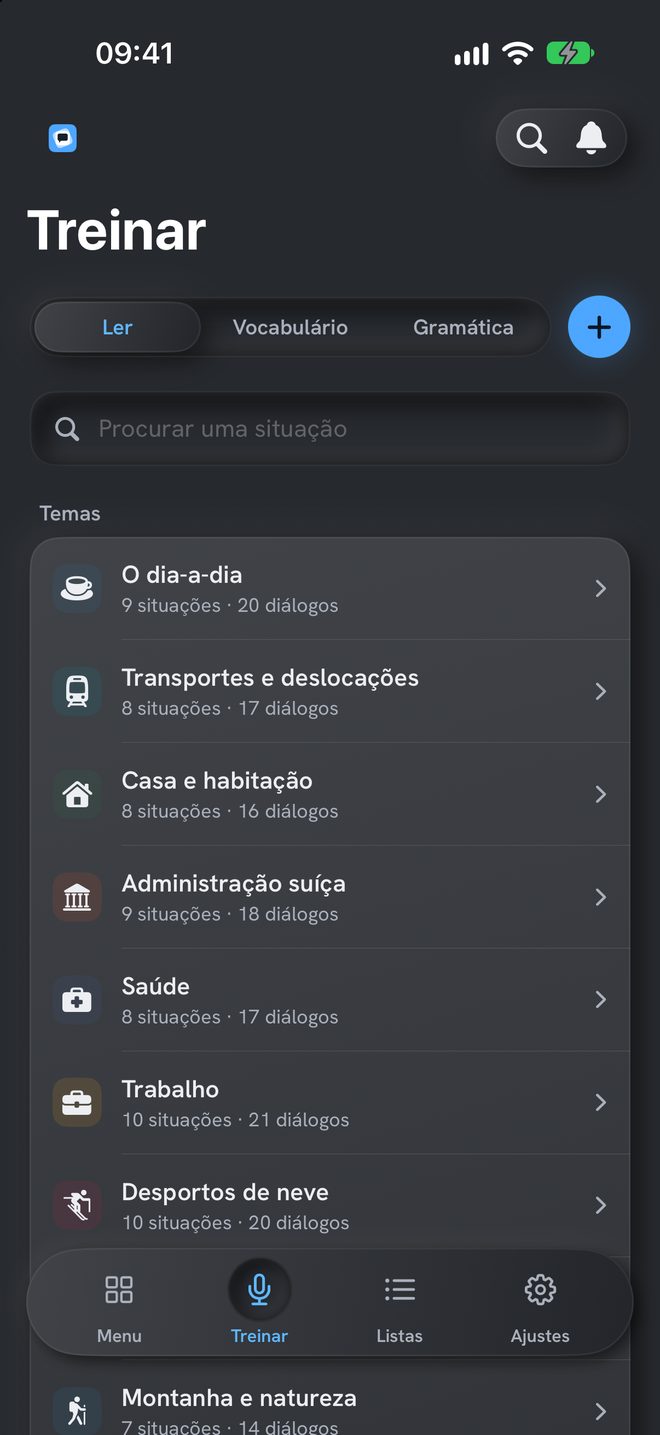
Real life
160 situations, in 20 themes.
326 dialogues, from basic to advanced.
Block apps
To open an app, French comes first.
You turn blocking on from the Menu and choose the apps. To open them, you answer French questions.
Dis-moi does not know which apps they are: only the iPhone does.
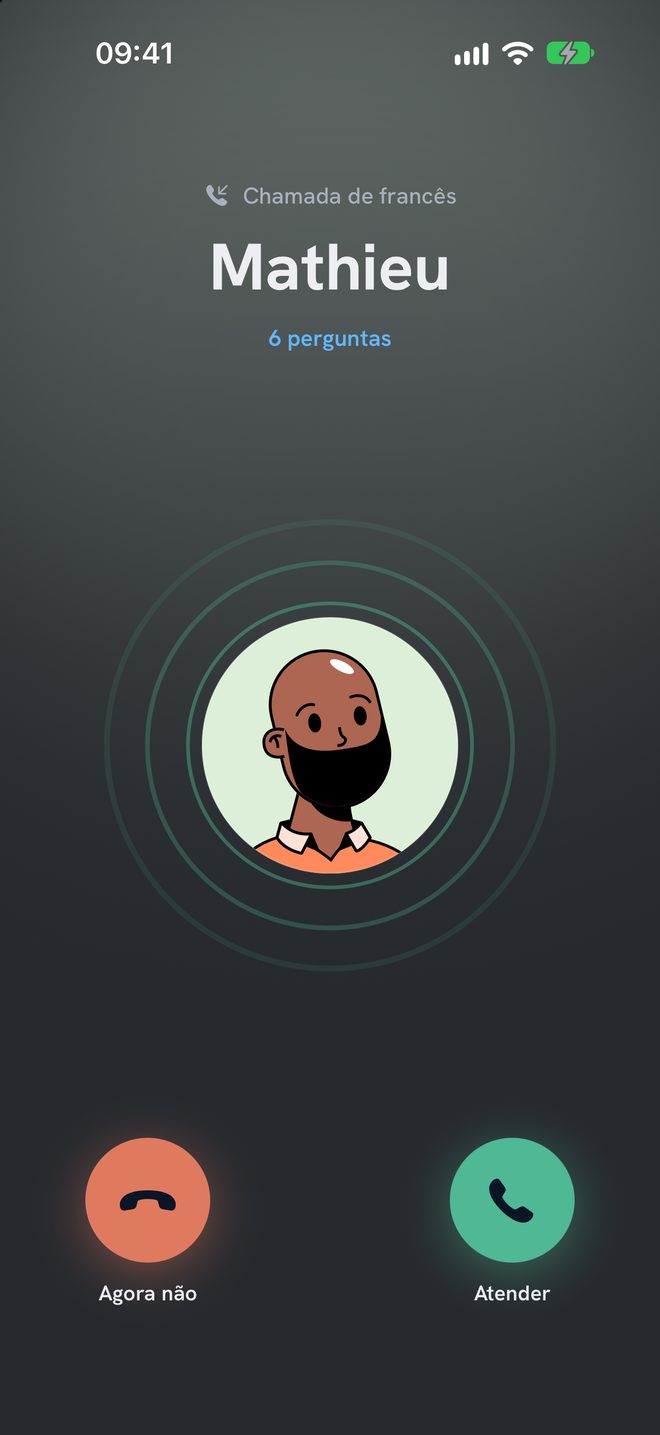
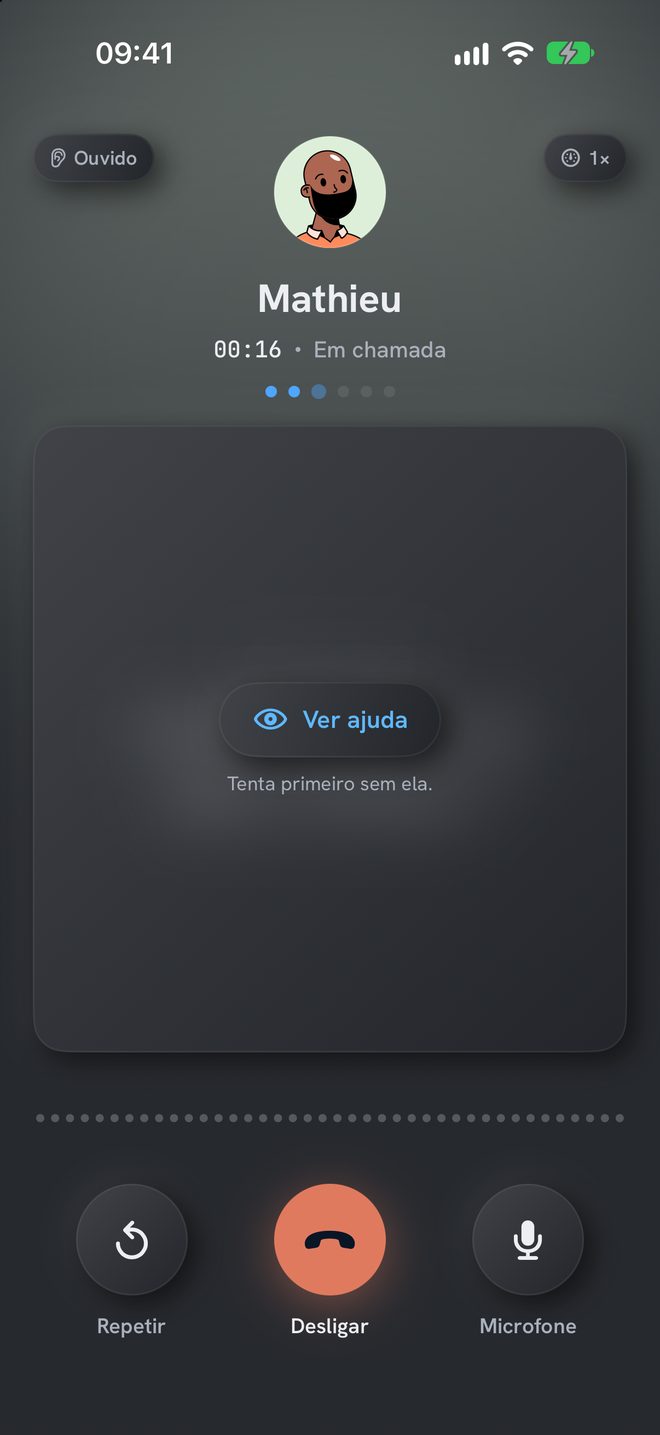
French call
The phone rings. It’s in French.
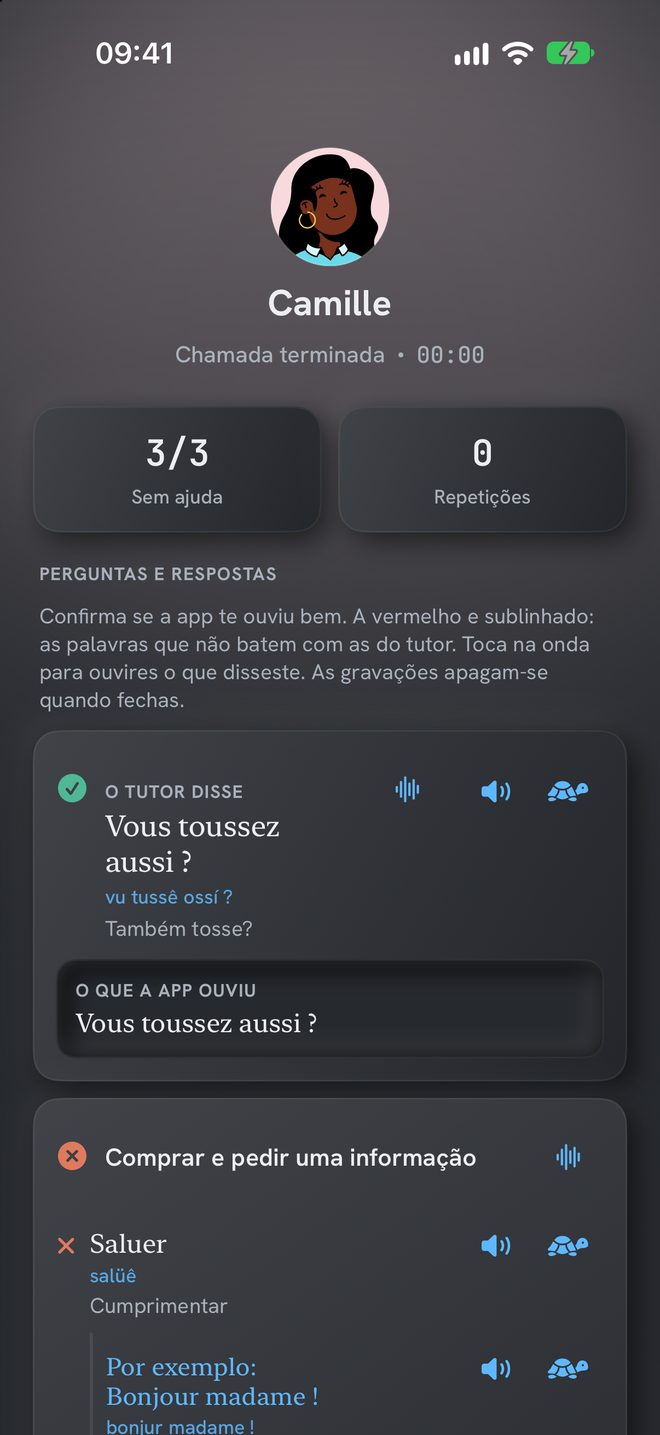
The tutor calls you at a random time, within the hours you choose. You answer aloud and, at the end, go over each answer with your own recording.
How it works
Three steps: choose, read, review.
- Step 1Pick a situation160 situations, with translation.
- Step 2Read aloudThe app follows you word by word.
- Step 3Review only the marked wordsYou hear yourself and the tutor.
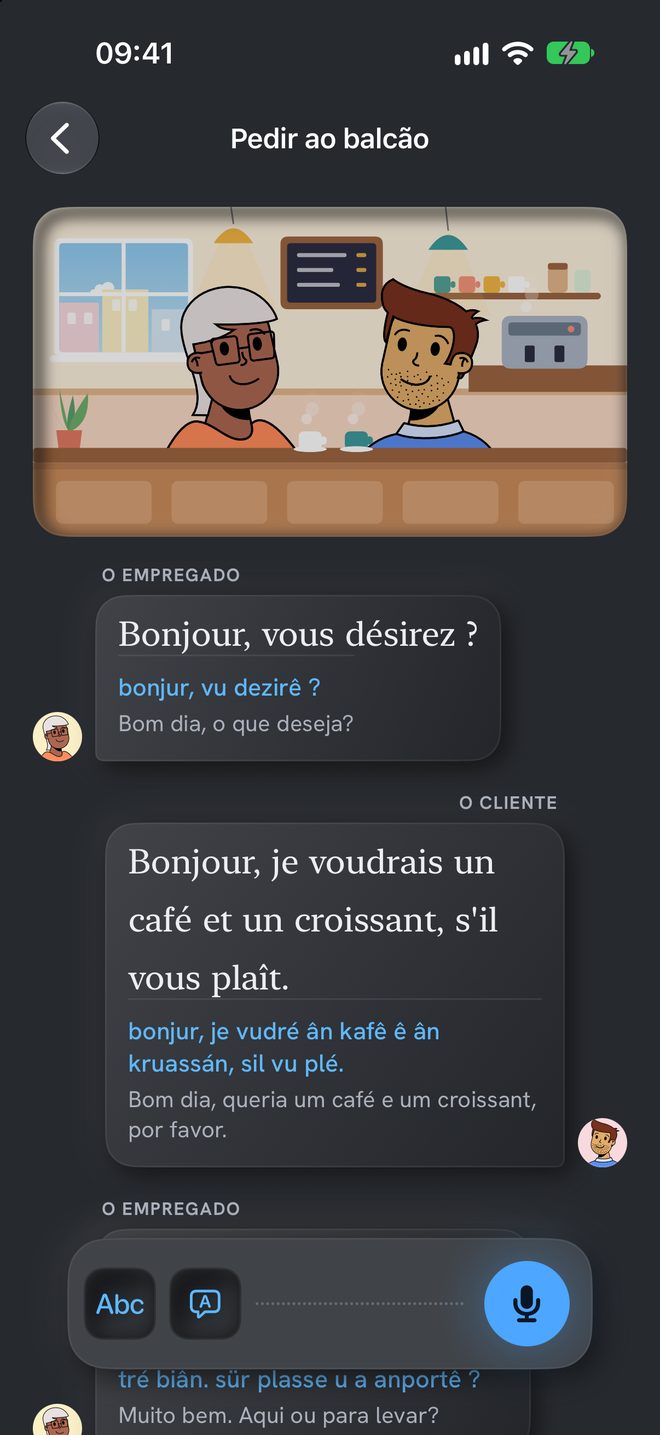
Live correction
You see right away what went wrong.
Bonjour, je voudrais (marked word) un café et un croissant, s’il vous plaît.
Bom dia, queria um café e um croissant, por favor.
1 word marked. Shall we listen to it?Dialogue “Ordering at the counter”, situation “At the café”.
Review
Hear yourself and the tutor, word by word.
Measured on your audio, not on the text. In dialogues, the “u” in “tu” and the “eu” in “deux” are measured too.
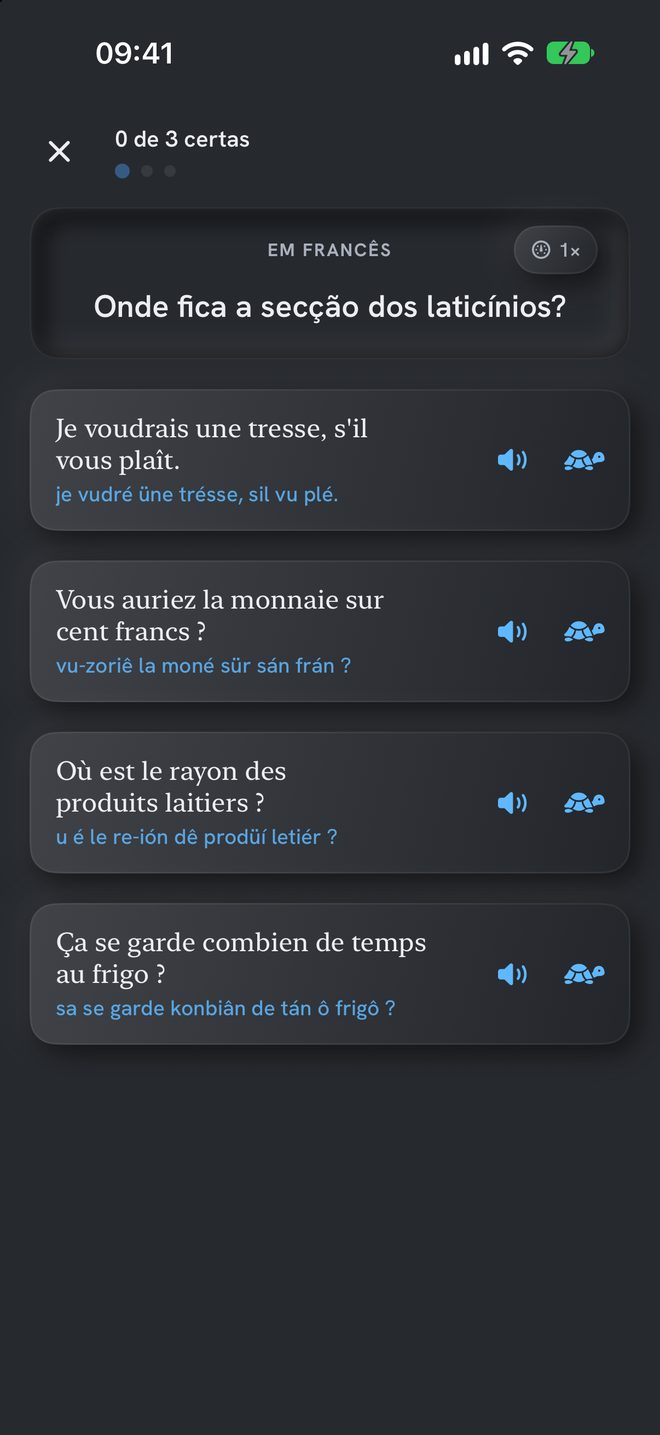
Vocabulary and Grammar
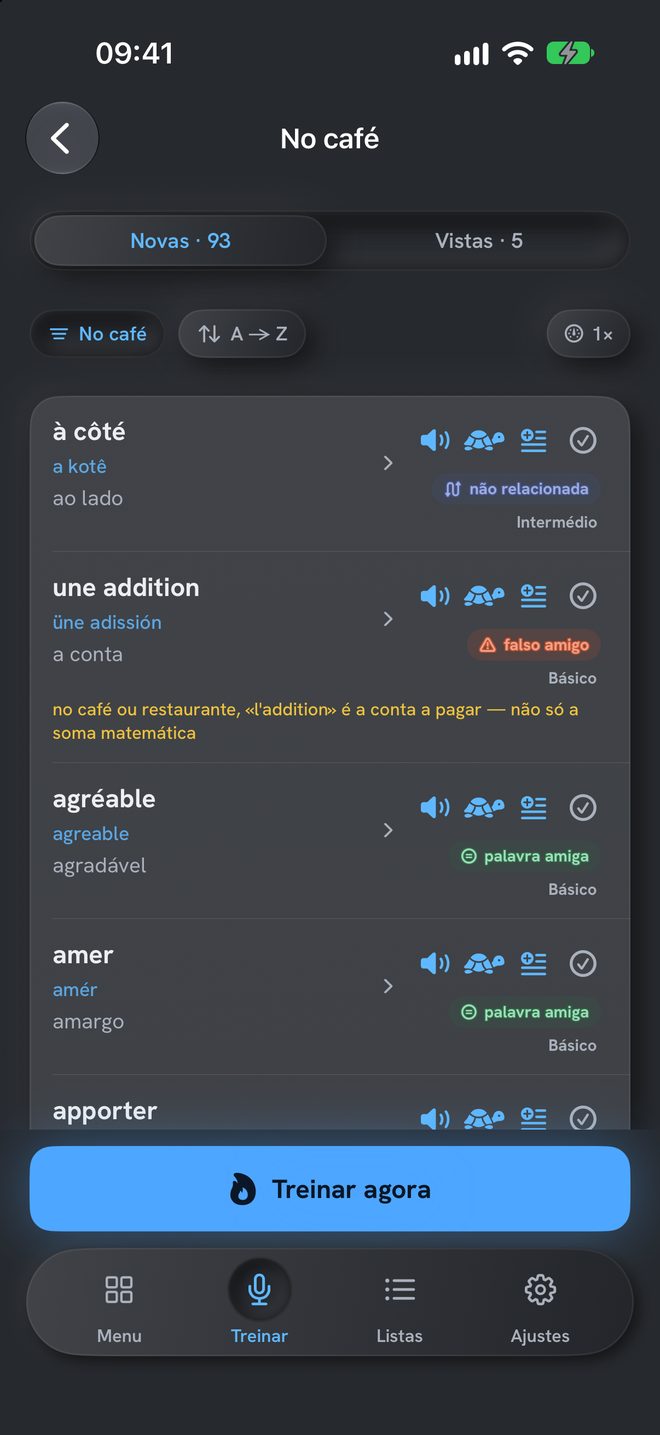
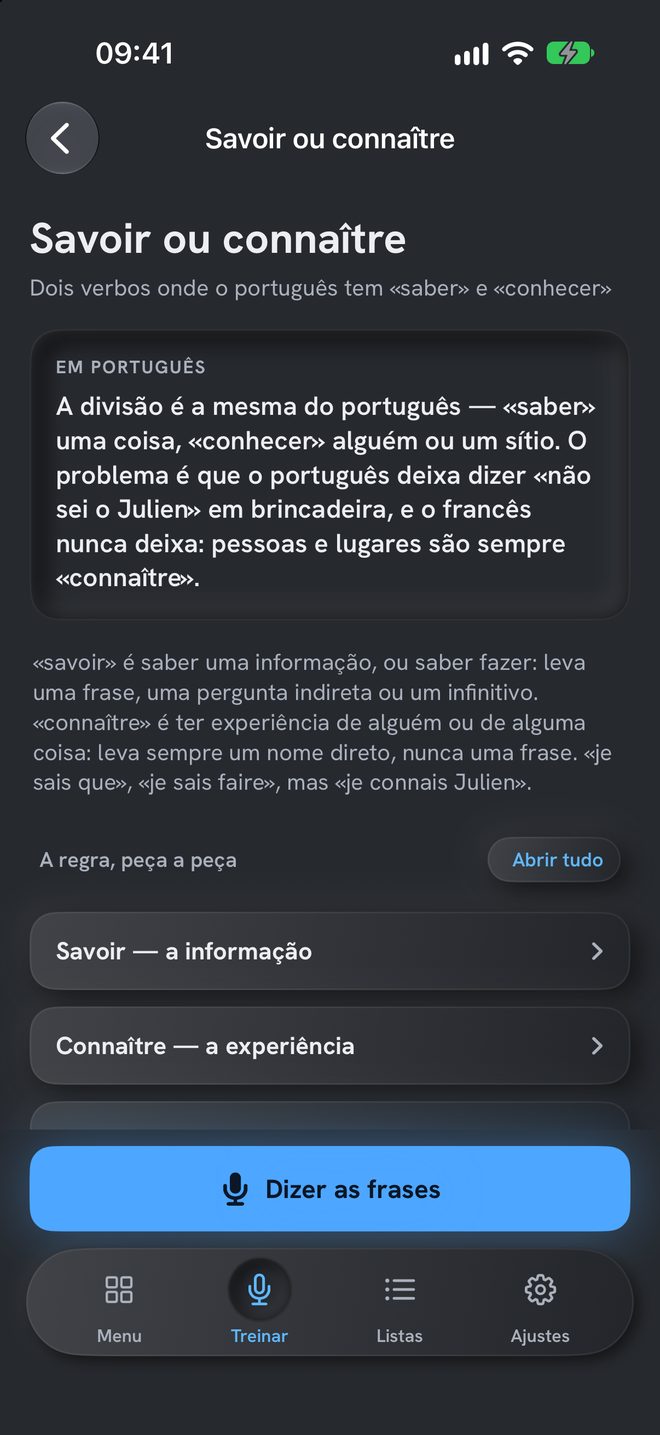
More than 4,000 words, each with its family.
- friendly wordfacilefácil
- false friendmonnaietroco
- unrelatedgâteaubolo
From the theme “At the café”.
Every day
A few minutes a day.
A little character says hello in French when you open the app. Tap it to hear it. In Settings you can pick another one, turn off the motion or show the app icon instead.
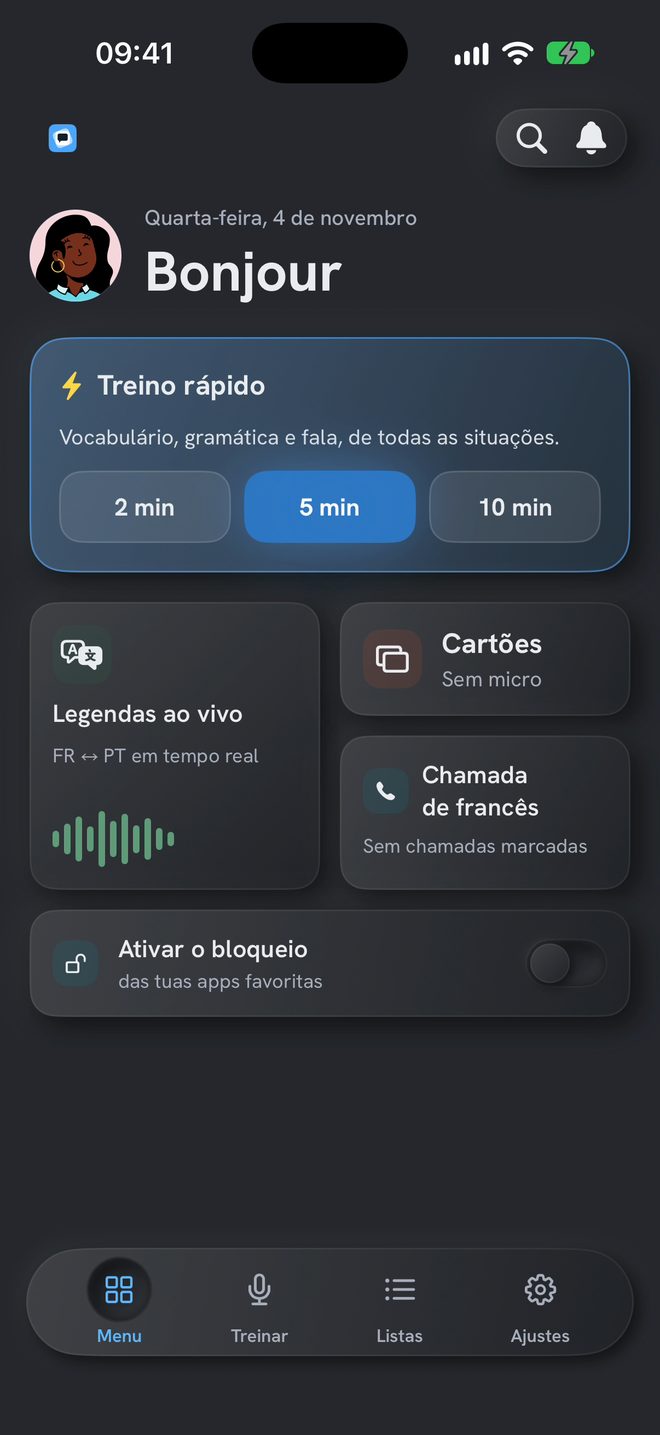
Quick practice
Vocabulary, grammar and speaking.
French call
The tutor calls you. You answer aloud.
Cards
398 cards, on top of your own, with the pronunciation under the French.
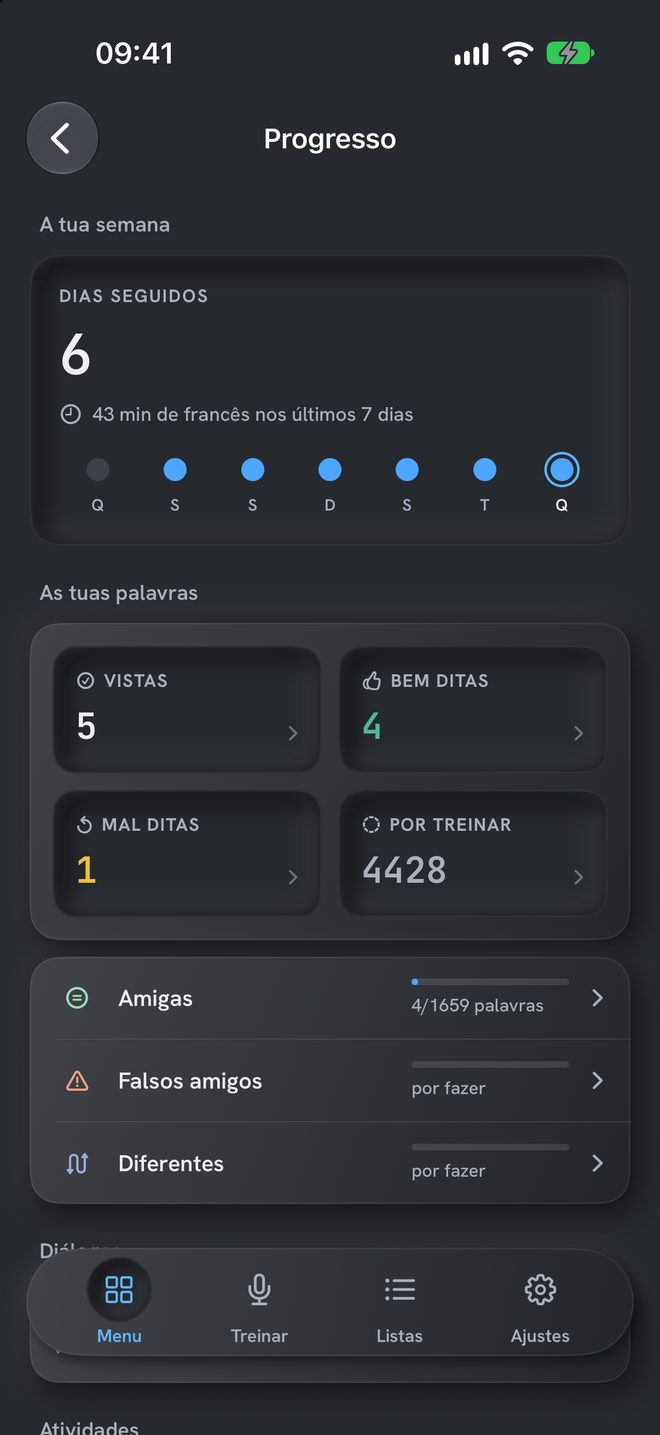
Progress
See what you already say well.
Your streak of days, and the words you have seen, said well, said badly or still have to practise. Tap a number to open those words.
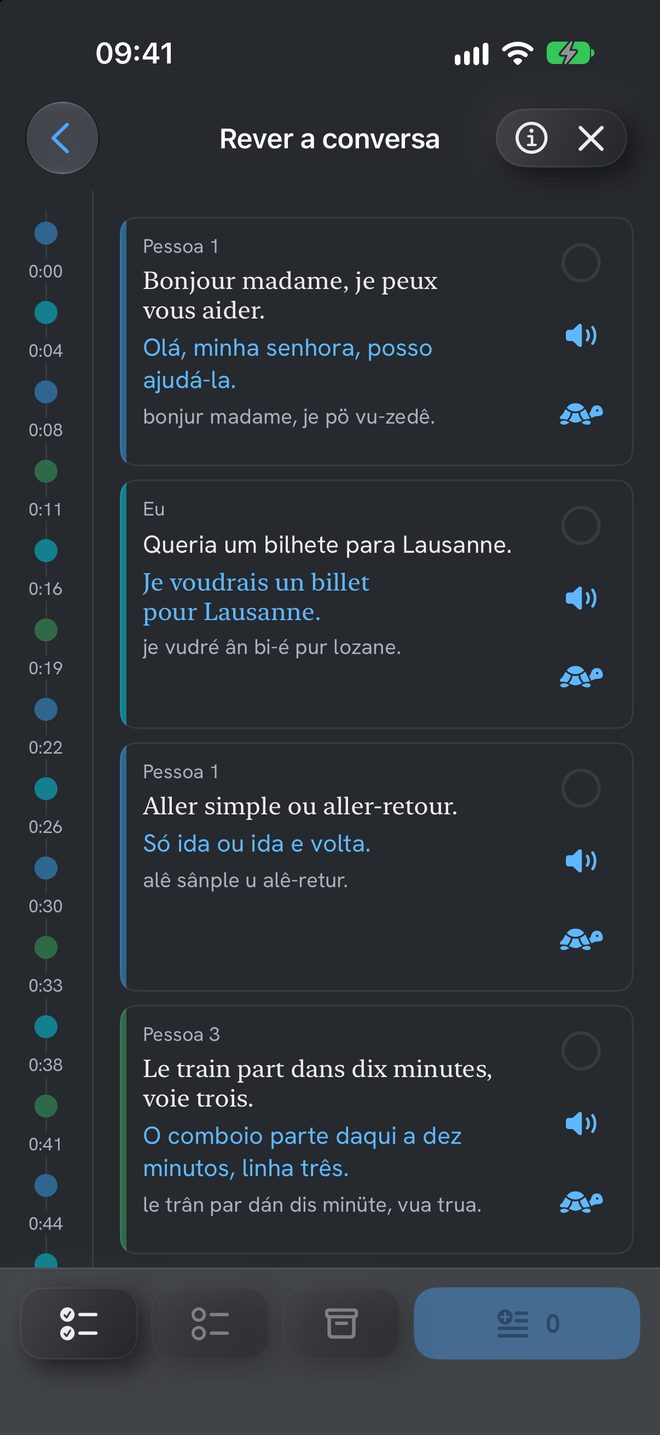
Live captions
A conversation in French, captioned in Portuguese.
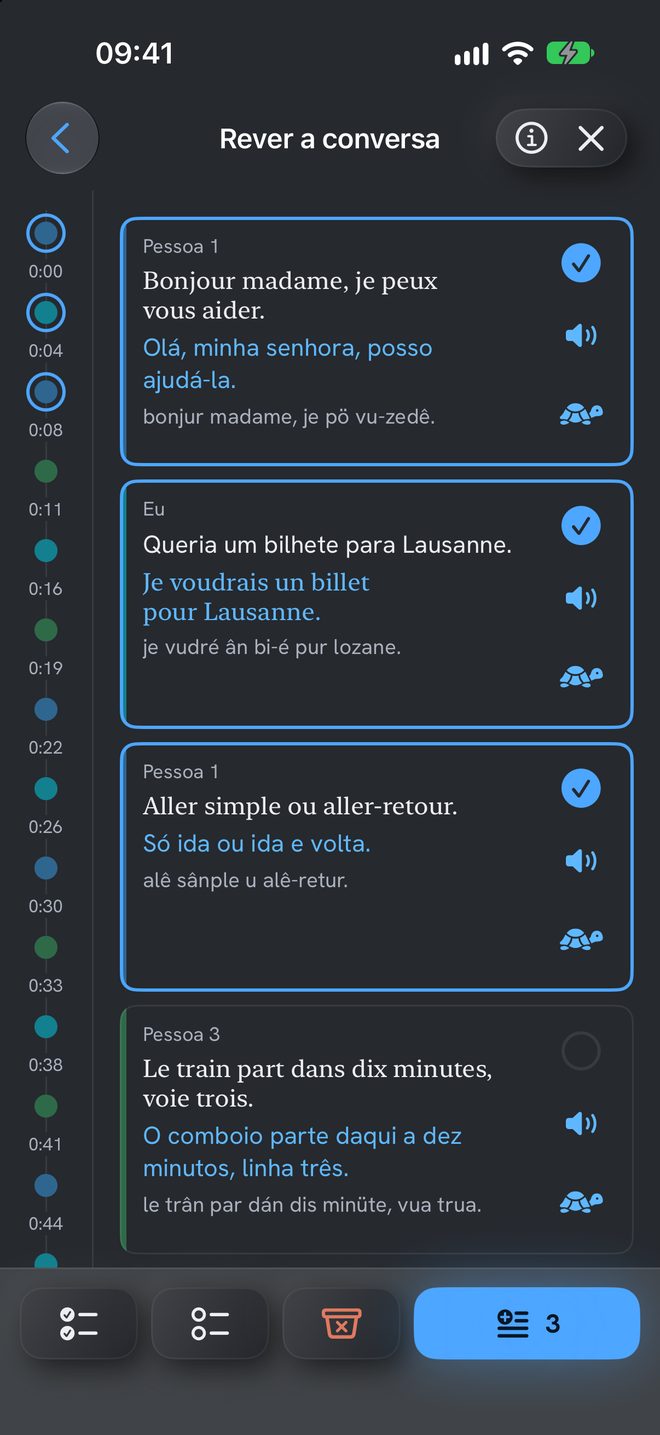
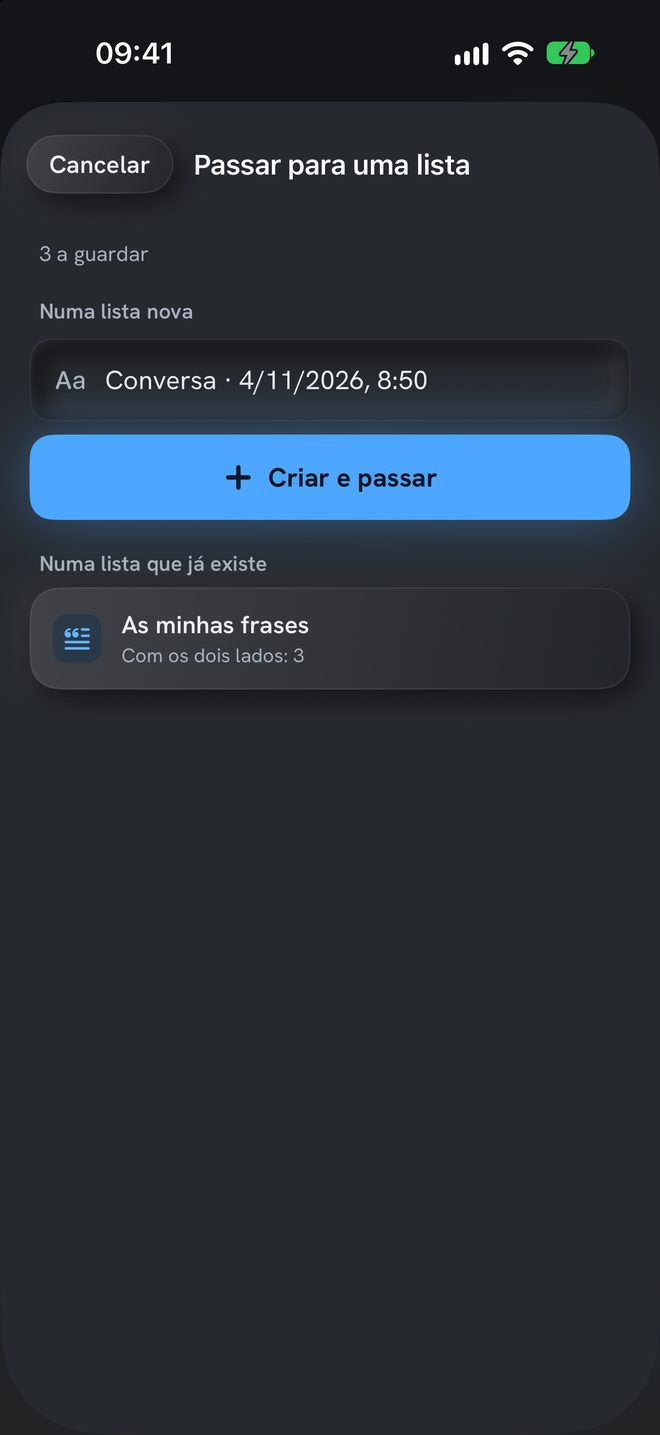
What you say in Portuguese appears in French, and other people’s French appears in Portuguese, each person in their own colour. At the end, you go over the conversation and move the useful phrases to a list.
Privacy
Your voice never leaves your phone.
The recording is deleted when you close the review.
Price
14 days free. Then a one-time purchase.
The price appears in the App Store, in your currency.

iPhone only, with iOS 26 or later. Terms of use: Apple’s standard licence agreement.
Frequently asked questions
What you might want to know.
What are Live captions?
A conversation with translation, one track per person: what you say in Portuguese appears in French, and other people’s French appears in Portuguese. Before you start, tap “+ Nova pessoa” (new person) to add who is in the conversation: it helps to tell the voices apart. At the end, you choose the phrases you want and move them to a list, new or existing.
Do Live captions record the conversation?
No. The sound is never recorded. When you leave the review, the conversation is deleted: only what you moved to a list remains.
Is the app in Portuguese?
Yes. The app is in Portuguese, European and Brazilian, and the dialogues are translated into Portuguese. The grammar is also explained in Portuguese. What you practise saying is French.
Can it help me practise speaking for the C permit or naturalisation?
It trains you to understand and speak in everyday situations. It is not an official course and does not guarantee the result of any exam.
Is my voice recorded or sent anywhere?
Your voice is not sent anywhere. Speech recognition runs entirely on your iPhone and your voice never leaves the phone. The recording of each reading stays on the device only and is deleted as soon as you close the review. There is no account, no ads and no usage analytics. The details are in the privacy policy.
How much does it cost?
The first 14 days are free, with everything open. After that, opening everything again is a one-time purchase: no subscription and no renewals. The price appears in the App Store, in your currency. Block apps is free, even without the purchase.
Which iPhone do I need?
An iPhone with iOS 26 or later. The app is for iPhone only. Block apps needs iOS 26.5 or later. Without Apple Intelligence, the app uses the iPhone's translator.
Which French does it teach?
Everyday French from French-speaking Switzerland: 160 situations, from basic to advanced. It has more than 4,000 words and grammar explained in Portuguese.
Read your first situation aloud.
14 days free to try everything.
iPhone only, with iOS 26 or later.