Staff rota for a nursery on your iPhone: start free, no computer
With Send Planning you build your nursery's staff rota on the iPhone and send each person only their own shifts. The free plan is for trying the app; for the whole team you need Pro, with 14 days free on subscriptions.
Only for people who live in Switzerland.For information. This guide explains how to use Send Planning and summarises Swiss rules on work. It may contain errors or be out of date: always check the official sources (Fedlex, SECO, your canton's labour inspectorate) and, if in doubt, ask an official service for help. Not legal advice. Prices are in the App Store.
- The short answer
- Early, regular, late in one day
- The team and the intern
- What repeats every week
- Swapping shifts
- Everyone gets only their shifts
- Pro: routes, poster, holidays
- Start free or go Pro
Is there a free rota app for a nursery on the iPhone?
Yes: Send Planning is an iPhone and iPad app where you build your nursery's staff rota. You set up the shifts, see the overlaps and send each person only their own shifts, by WhatsApp, SMS or email.
You need no computer, no account and no server. The data stays on your device and the app works offline. You only need a connection to send.
Starting free means trying it out. The free plan has no time limit, but it has only 1 team member, 1 place and 1 repeating series. That is enough to plan your own shifts and see how it feels. For the whole team you need Pro, and the subscriptions start with 14 days free.
A day at the nursery: open 6:30 to 18:30
A small nursery needs three rhythms: an early shift to open, a regular shift and a late shift to close. In the app, each shift is a bar with a start, an end and a break.
Breaks belong in the plan. Under Art. 15 ArG (Labour Act), breaks are at least a quarter of an hour if the working day is longer than 5½ hours, half an hour above 7 hours and one hour above 9 hours. If the person cannot leave the workplace during the break, it counts as working time. Your collective agreement or your canton may say more: check.
The week: team, days off and the intern with a school day
Here is an example with four people. Nina is an intern and goes to school on Tuesdays. That day she gets a "School" entry, and the app warns you if you schedule her anyway.
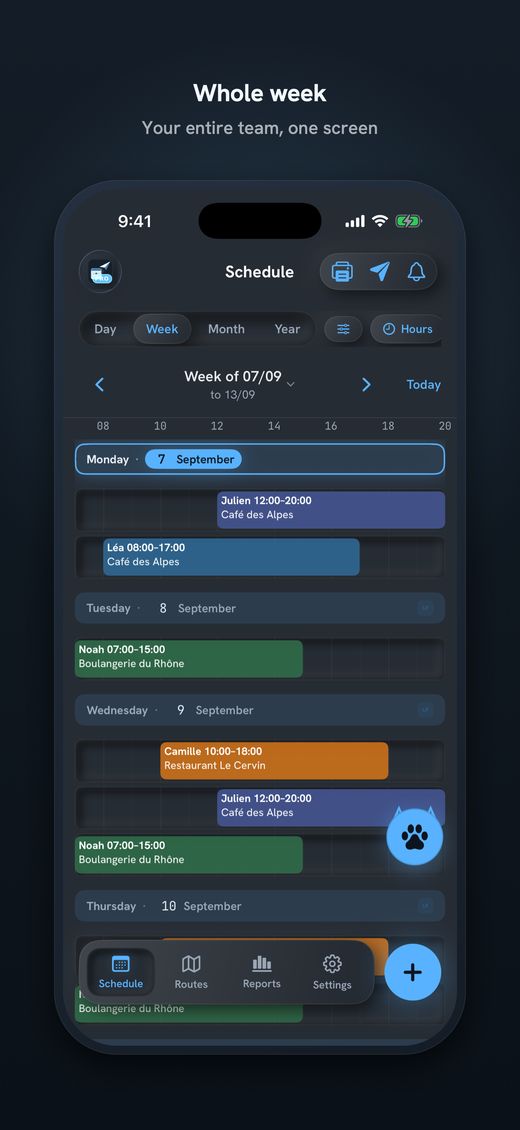
You see at a glance who opens and who closes each day. You choose the conflict rule yourself: allowed, warning or conflict.
What repeats every week you set up only once
Most shifts at a nursery are the same every week. You create a series, pick the weekdays and, if you like, an end date. Holidays go in as an absence.
Daily, fortnightly, monthly and yearly series work too. The free plan has one series; Pro has as many as you need.
Swapping shifts when someone is ill or has to leave early
Lea has to start later on Thursday and Marco can come in earlier. Hold your finger on Lea's shift, choose "Swap shift" and tap Marco's shift.
If the shift was already sent, the person who loses it gets the notice in the next send.
The day, the hours and the place stay the same; only the people swap. You can also duplicate, move or delete a shift. A shift you move after it was sent goes into the next message as an addendum ("old → new").
Everyone gets only their shifts: by WhatsApp, SMS or email
You do not have to write one big message to the whole team. The app makes one message per person, with only their shifts. The format can be text, image or a calendar file (.ics).
Mon (02 Nov): 06:30–15:00 (30 min break) • Sunshine Nursery Tue (03 Nov): 06:30–15:00 (30 min break) • Sunshine Nursery
✓ SentMon (02 Nov): 08:00–16:30 (30 min break) • Sunshine Nursery
✓ SentMon (02 Nov): 08:00–16:30 (30 min break) • Sunshine Nursery Tue (03 Nov): Off
✓ SentYour colleagues do not need the app. They get the plan where they already read messages. The app does not tell you whether a message was read and sends no reminders: that is up to you. You announce new rotas in good time, as a rule two weeks ahead (Art. 69 ArGV 1).
With Pro: routes, a poster for the staff room and holidays
This is Pro only. For a nursery with one site you may not need it; with several sites, a playgroup or childminders it helps.
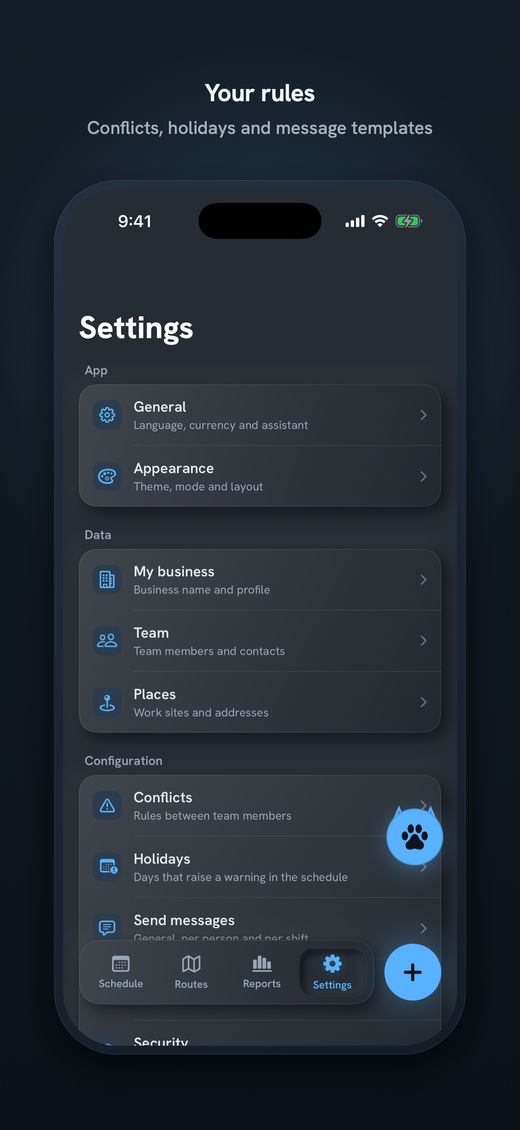
- RoutesKilometres and minutes from home to the workplace, using Apple Maps. Handy if someone travels between two sites.
- Poster as a PDFPrint the plan for the day, week, month or year (A6 to A3) and put it up in the staff room.
- Holidays by cantonThe holidays of your canton are imported. On the free plan you type them in by hand.
- ReportsHours and costs per person and month, with the rates you set for each person.
Send Planning: start free, go Pro for the whole team
The app is made by a solo developer and is on the App Store. It does not do time clocking, payroll or tills: it plans the shifts and sends them.
- Team members and placesName, phone or email; one place per nursery or playgroup.
- Shifts with a breakStart, end and break in minutes, with a note.
- Repeating seriesDaily, weekly on chosen days, fortnightly, monthly, yearly.
- Swap shiftsOne long press, one tap: only the people swap.
- Send to each personWhatsApp, SMS, email or Share; text, image or .ics.
- On your deviceNo account, no server; lock with Face ID or PIN.
- 1 team member, 1 place, 1 series
- "Ice" theme, holidays by hand
- Face ID or PIN lock, 7 languages
- At the end of the message: "Sent with Send Planning by Alpine Lynx"
- Unlimited team members, places and series
- Routes, costs, transport and reports
- Poster as a PDF, 9 themes, holidays by region
- No brand line
To be honest: with 1 team member and 1 place, the free plan is for trying the app, not for a whole team. For the whole nursery you need Pro. The subscriptions (weekly, monthly, yearly) start with 14 days free, and there is also a one-time purchase. The price is on the App Store.

Download Send Planning for iPhone and iPad. You make the team's rota and each person gets only their own shifts, by WhatsApp, SMS or email. Free to start, no account.

Frequently asked questions
Is there a free rota app for a nursery on the iPhone?
Yes, Send Planning has a free plan with no time limit. It has 1 team member, 1 place and 1 series and is meant for trying the app. For the whole team you need Pro.
Is the whole nursery team free?
No. The free plan covers 1 team member and 1 place. For a team you need Pro. Subscriptions start with 14 days free, and there is also a one-time purchase. The price is on the App Store.
Do I need a computer or an account?
No. Everything runs on the iPhone or iPad, with no account and no server run by the developer. The data stays on your device. The app works offline; you only need a connection to send.
How do I schedule an intern with a school day?
Enter the school day as an absence, for example every Tuesday, or create a series for her with only her working days. The reason never goes into the message; it only says "Off".
Do my colleagues have to install an app?
No. They get their shifts by WhatsApp, SMS or email, as text, image or calendar file. There is no app for them.
How do I swap two shifts?
Hold your finger on a shift, choose "Swap shift" and tap the other person's shift. The day, hours and place stay the same. If the shift was already sent, the person who loses it gets the notice in the next send.
How long do breaks have to be?
Under Art. 15 ArG, at least a quarter of an hour if the day is longer than 5½ hours, half an hour above 7 hours and one hour above 9 hours. Your collective agreement or your canton may say more.
About this guide. Informative content, not legal advice. All names and times are made up. The app helps you plan and inform; complying with the law is the employer's job. What counts is your contract, your collective agreement and your canton's rules for nurseries. The cited articles lead to the official text on Fedlex. This guide may contain errors or be out of date: always check the official sources. Updated in October 2026.
More guides on this topic
- Cleaning: note your clients and hours on the iPhone, and send each team member her schedule, with no paper and no Excel
- Pharmacy staff schedule: the team's shifts, week by week, on your iPhone
- Send the café rota by WhatsApp – and what data protection says about it
- Restaurant schedule: lunch service, dinner service and breaks
- Print the team schedule as a PDF, from A6 to A3, to put on the wall
- Announce the shift schedule in time: plan and send two weeks ahead
- Visit scheduling for small Spitex teams: visits, routes and kilometres
- Swapping shifts in a team: swap two shifts and tell everyone
- A 7-day shift schedule without Excel: repeating shifts and days off